ClickUp Review for Small Teams: Is It Worth It?
Read our candid ClickUp review for small teams. We evaluate feature sprawl, setup time, and pricing to help you pick the right workspace.

ClickUp Review for Small Teams: Is the Setup Worth It?
This ClickUp review for small teams examines whether broad flexibility outlasts the setup cost. Lean operations often trade initial configuration time for long-term centralization, but that trade requires discipline.
The Short Version
ClickUp works well for small teams that enforce strict workspace conventions, but it quickly overwhelms groups wanting out-of-the-box simplicity. Establishing a functional setup requires defining an organized taxonomy of names, statuses, and custom fields.
Lean organizations facing ClickUp feature sprawl often trade initial setup time for long-term centralization. If your workflow needs structured docs and modular databases without excessive setup overhead, compare this to our coda review before committing.
Managing Setup and Feature Sprawl for Small Teams
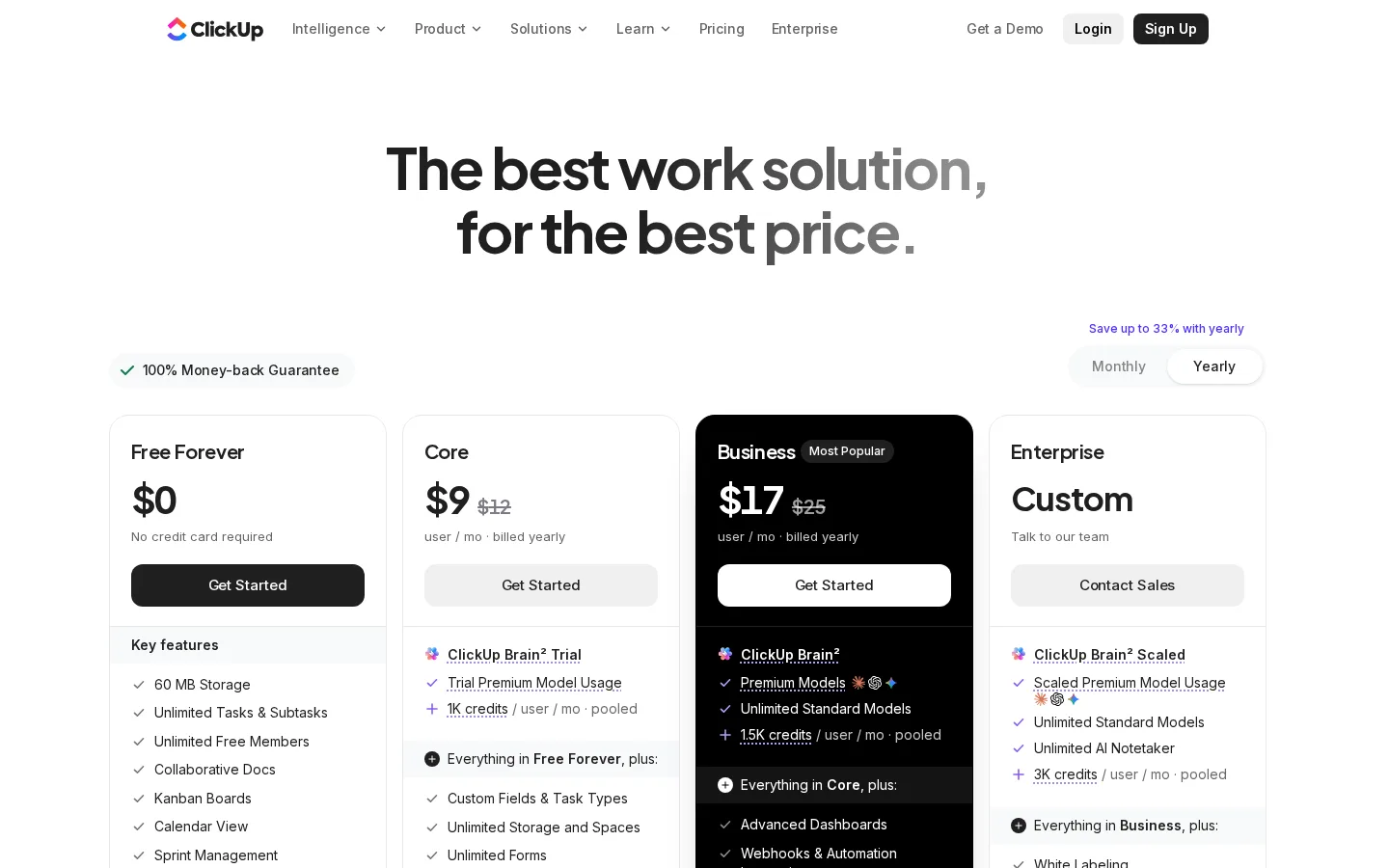
ClickUp demands deliberate planning before small teams can work smoothly. Establishing a functional setup requires defining an organized taxonomy of names, statuses, and custom fields. Without strict conventions, teams face configuration overhead and scattered lists that slow daily delivery.
Source: clickup.com
A realistic clickup review for small teams shows that feature depth often leads to setup sprawl. Dense boards with extensive data can encounter slower operational speeds and performance drag. Smaller groups seeking technical documentation clarity alongside task systems can compare workflows in our mintlify review to see how specialized platforms reduce clutter.
• Name conventions must stay consistent across all spaces to avoid duplicate views.
• Task statuses need rigid definitions so team members update cards accurately.
• Custom fields should remain minimal to prevent dashboard calculation errors.
Core Utility Versus Daily Interface Friction
ClickUp delivers functional power only when your team enforces strict workspace rules. Establishing a functional setup requires defining an organized taxonomy of names, statuses, and custom fields. Without those constraints, daily task management quickly collapses under clickup feature sprawl.
Daily operations slow down as project volume increases across your team boards. Boards with extensive data can encounter slower operational speeds and performance drag. Meanwhile, ClickUp Brain AI lacks functionality for external file uploads and does not operate on custom dashboards.
For teams weighing this clickup review for small teams against leaner options, workspace bloat remains the primary tradeoff. Groups seeking focused workspaces with minimal interface friction often look at the Anytype Review: Local-First Private Notes for Data-Conscious Teams before committing to ClickUp.
Pricing Tiers and Support Access
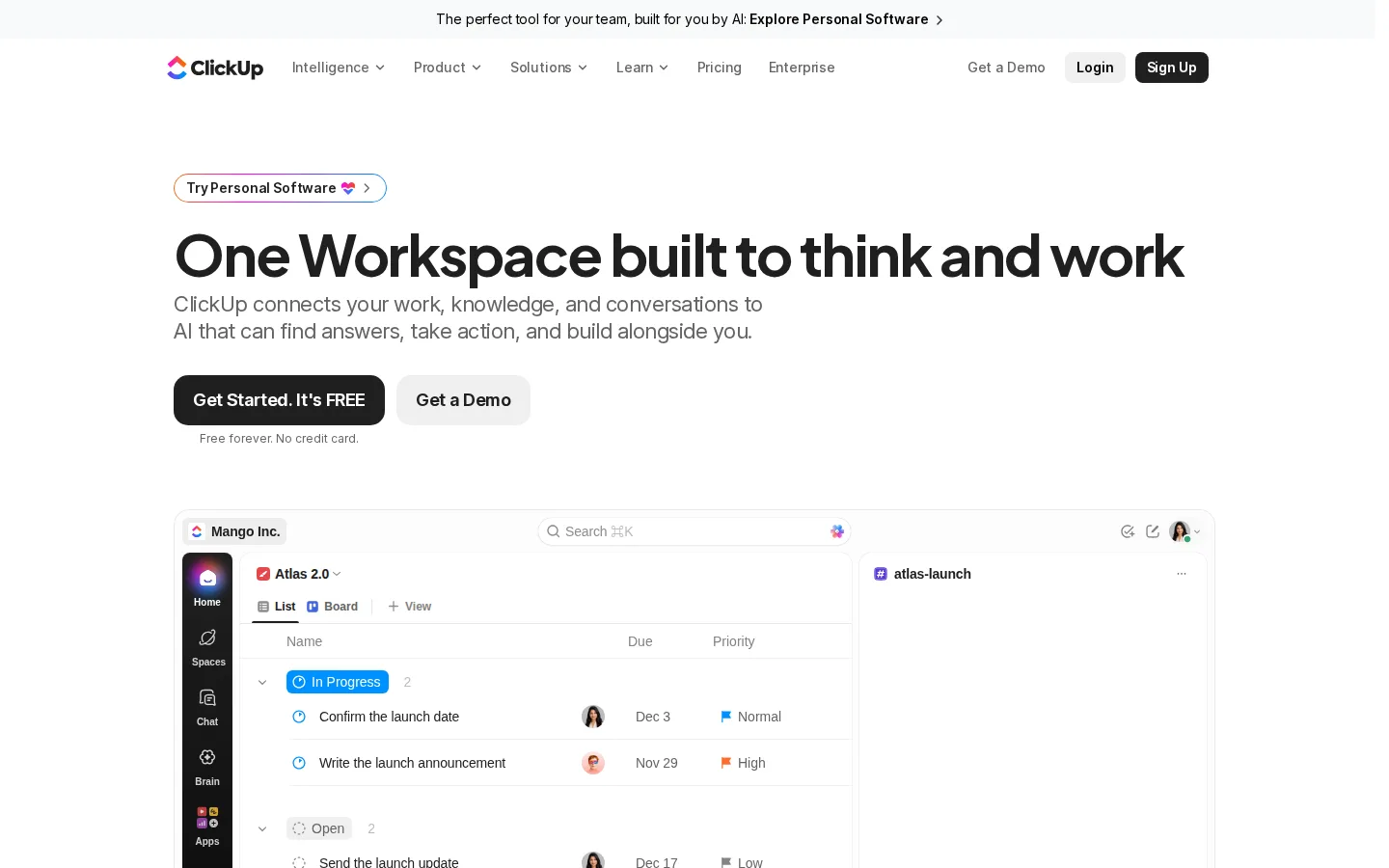
Understanding ClickUp pricing for small business requires balancing entry costs against workspace limits. The Free Forever tier provides 60 MB of storage, unlimited tasks, collaborative docs, and Kanban boards. Scaling past those limits costs $9 per user monthly billed annually or $12 monthly on Core, while Business runs $17 per user monthly billed annually or $25 monthly.
Source: clickup.com
Scroll the table →
Plan
Annual Price
Monthly Price
Live Human Support
Free Forever
$0
$0
No
Core
$9/user/mo
$12/user/mo
Yes
Business
$17/user/mo
$25/user/mo
Yes
Max
$100/user/mo
$120/user/mo
Yes
Teams needing top-tier limits can choose the Max plan at $100 per user monthly billed yearly or $120 monthly. Hidden support constraints affect operational budgets, as ClickUp does not provide customer service via telephone. An automated chatbot serves every tier, but live human chat remains exclusive to paid subscriptions.
Before committing budget, explore our software review hub to compare alternative task platforms. This clickup review for small teams shows that self-serve troubleshooting remains necessary for budget-conscious workspaces.
ToolNest Scorecard
ClickUp delivers deep functionality, but setup complexity and interface lag affect daily adoption. In our clickup review for small teams, time-to-value requires defining clear statuses, names, and custom fields early. Complex data boards can also suffer performance drag when workloads expand.
We evaluate software based on standardized testing pillars outlined in our review methodology. Our assessment balances feature depth against onboarding overhead and actual team workflows.
ClickUp Pros and Cons
ClickUp offers broad customization at competitive entry prices, but the platform demands upfront structural design. Our clickup review for small teams highlights where the platform succeeds and where operational friction emerges.
Pros
• Core plan starts at $9 per user monthly billed annually, making it accessible for budget-conscious groups.
• Custom fields, statuses, and diverse views provide flexible task modeling across departments.
• Live human chat support is available 24/7 on paid tiers alongside an automated bot on all plans.
• ClickUp works well for small teams that enforce strict workspace conventions, but it quickly overwhelms groups wanting out-of-the-box simplicity.
Cons
• Without strict conventions, teams face configuration overhead and scattered lists that slow daily delivery.
• Daily operations slow down as project volume increases across your team boards.
• Meanwhile, ClickUp Brain AI lacks functionality for external file uploads and does not operate on custom dashboards.
• Groups seeking focused workspaces with minimal interface friction often look at the Anytype Review: Local-First Private Notes for Data-Conscious Teams before committing to ClickUp.
ClickUp is worth the investment for small teams that want an all-in-one hub and have dedicated capacity to maintain their workspace. A sound this review shows that success depends on creating clean taxonomies of names, statuses, and custom fields from day one. Teams seeking simple, calendar-first planners without initial configuration should skip it.
The software delivers extensive versatility, but boards holding deep datasets can suffer from slower performance. Smaller outfits often struggle with setup overhead when establishing custom properties without clear guidelines. If your staff cannot enforce workspace hygiene, feature complexity quickly impedes productivity.
The verdict
Final Verdict: Who Should Choose ClickUp?
Entry-level tiers remain affordable, with the Core plan running $9 per user monthly billed annually or $12 month-to-month. The Business plan increases to $17 per user monthly billed annually or $25 monthly. Note that built-in Brain AI cannot process external file uploads or operate on custom dashboards, creating workflow constraints for some users.
Frequently Asked Questions
Is ClickUp too complicated for small teams?
Yes, it can easily overwhelm small groups that lack a dedicated administrator. In our review, we found that boards packed with heavy data experience noticeable performance drag. Teams must actively police custom fields to prevent interface clutter.
How long does ClickUp take to set up?
A functional setup takes several days of structured planning. You must establish a consistent taxonomy across statuses, names, and custom fields before rolling it out. Rushing this initial architecture usually leads to disorganized workspaces and low adoption.
What are the hidden costs of ClickUp?
Paid plans start at $9 per user monthly on annual billing, but support limitations add administrative overhead. ClickUp does not offer phone support, reserving live human chat exclusively for paid tiers. Relying on automated chatbot assistance can slow down resolution times for technical problems.
Produced by
ToolNest Editorial
Independent software reviews, comparisons and guides for people who want their tools to feel lighter.
Keep reading
More from the nest.
 Reviews
Read our candid Coda review to decide if its interactive docs, relational tables, and maker-based pricing fit your team.
 Reviews
Read our candid Figma review for small product teams. Discover how seat pricing, Dev Mode, and AI tools impact budget-conscious designers and developers.
 Reviews
Read our candid Mintlify review for engineering leads. Explore pricing tiers, Git workflows, and trade-offs for small software teams.
The ToolNest letter
Better tools, once a week.
One calm email with the reviews, comparisons and tools worth your attention.
Join the newsletter“Less noise. Better tools. A calmer stack.”