Mintlify Review: Automated Technical Docs for Small Software Teams
Read our candid Mintlify review for engineering leads. Explore pricing tiers, Git workflows, and trade-offs for small software teams.

The Short Version
Mintlify delivers a fast, polished developer documentation platform for code-first teams, but non-technical contributors may still find git-based documentation workflows challenging. It combines local CLI development and a web editor with an interactive API playground and OpenAPI support.
Teams evaluating mintlify pricing need to weigh code-backed control against editing convenience. Much like our framer review found for design workflows, technical teams thrive with structured systems while less technical teammates might encounter onboarding friction.
Mintlify Review: How the Git-Based Platform Works
Mintlify syncs your documentation directly with source control so engineering and technical writing share the same release cycle. Teams can edit content in a browser-based web editor or preview files locally using the CLI. For teams managing code across multiple repos or self-hosted systems, the developer documentation platform supports multi-repo automations and GitLab per-project webhooks to trigger deployments.
Automated checks run alongside your typical version control routines to keep syntax and structure intact. Mintlify integrates CI checks, reusable snippets, and file exclusions directly into your publishing flow. This developer-centric approach feels similar to services like postmark review that prioritize native engineer workflows and clean API documentation.
Editing Workflows for Non-Technical Contributors
Non-technical users can edit Mintlify docs directly without using local Git commands. A browser-based web editor allows product managers and writers to make fast updates while developers continue using the CLI.
Teams can maintain high editorial standards without forcing everyone to master terminal commands. In this mintlify review, the platform balances ease of use with automated safeguards like CI checks, context menus, and reusable snippets.
Much like evaluating flexible tooling in our attio review, software teams succeed when tools support both technical and non-technical workflows. Browser editing removes the friction of merge conflicts for routine copy tweaks.
Managing Internal Knowledge Versus Public API Docs
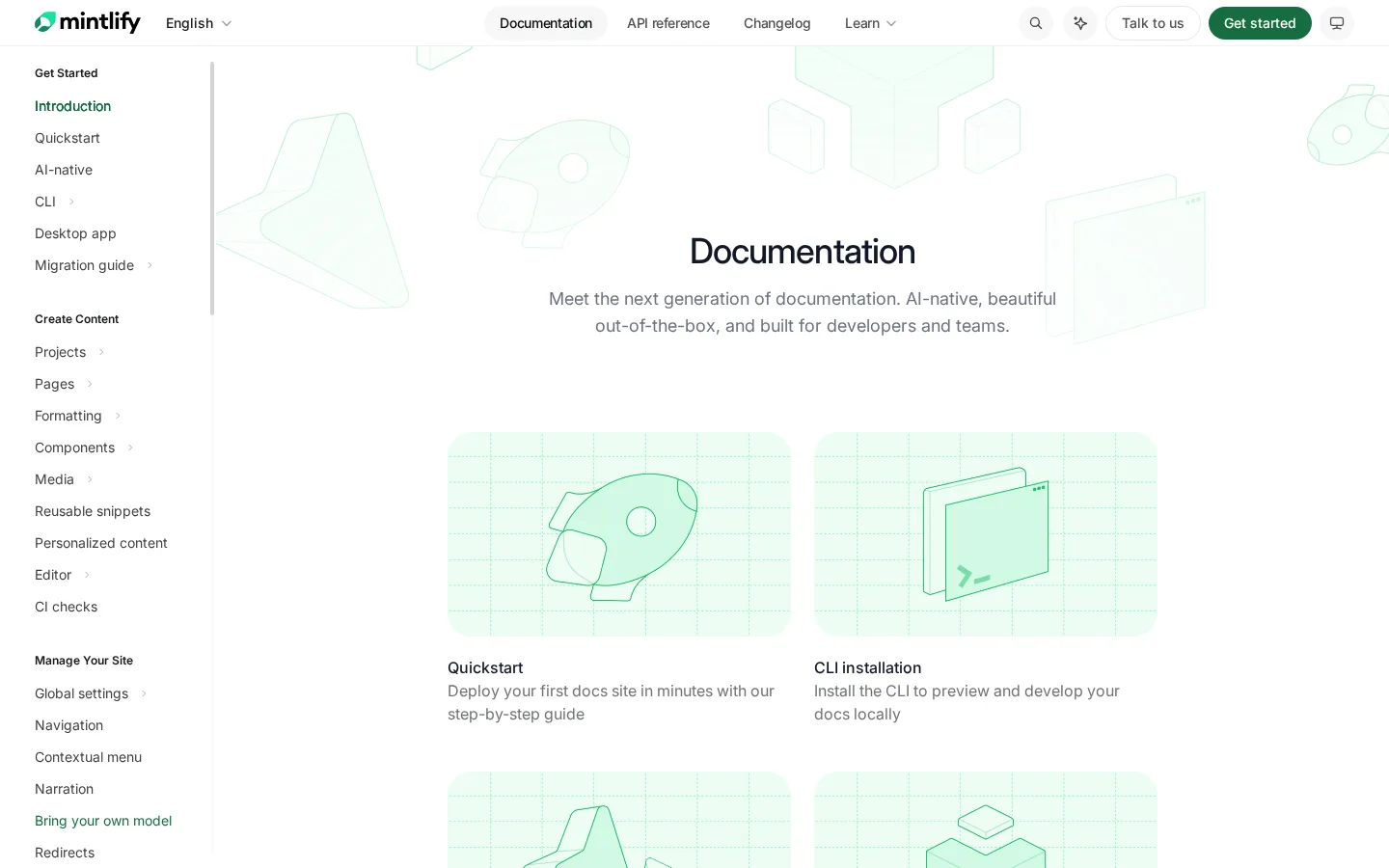
Mintlify handles public developer hubs and internal team knowledge through targeted content controls rather than separate publishing engines. Teams running a modern developer documentation platform can restrict internal pages using file exclusion, personalized content, and CI checks. Meanwhile, public endpoints rely on native OpenAPI support and an interactive API playground.
Source: mintlify.com
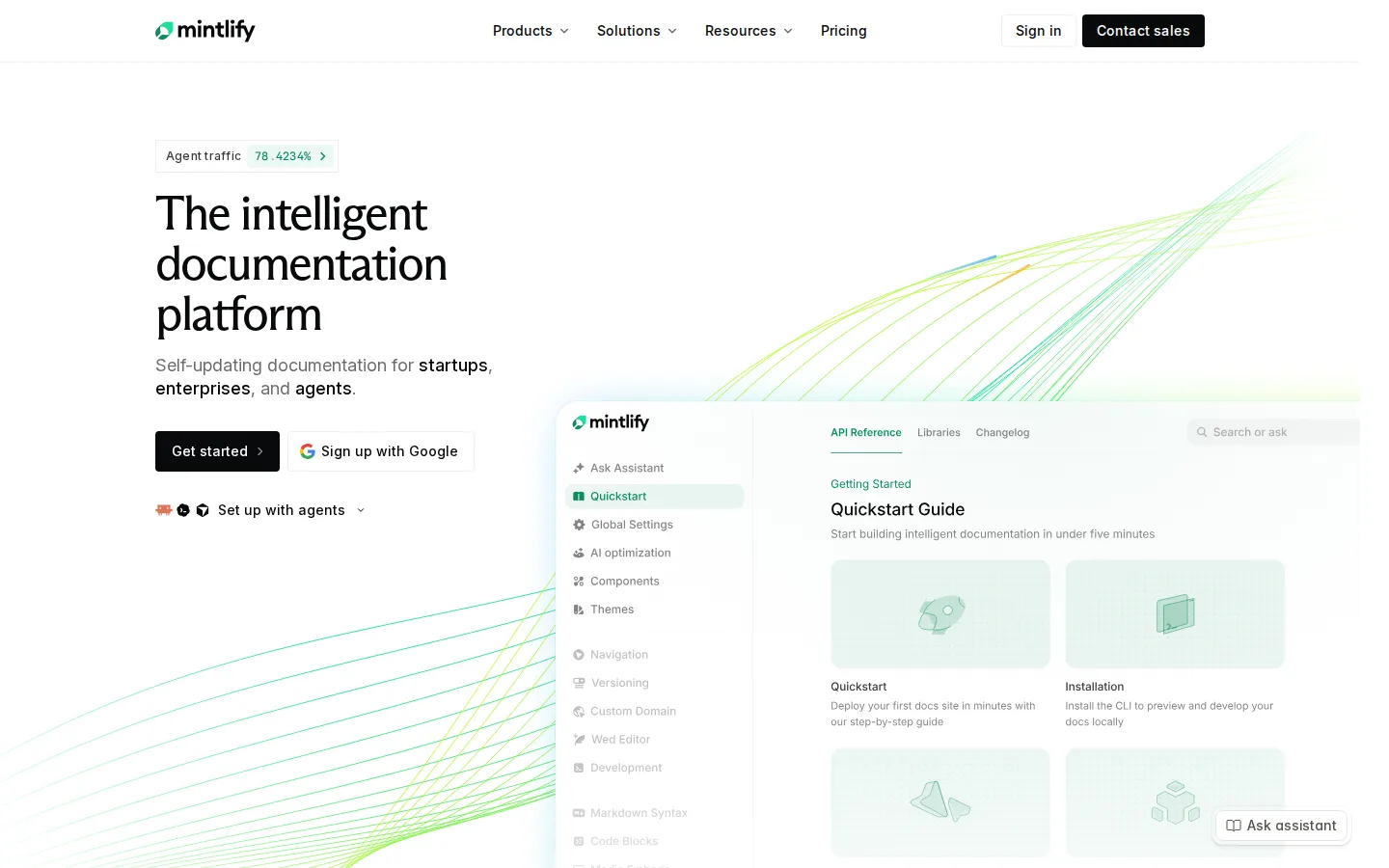
Writing workflows stay identical across both audiences, whether engineers push changes through local CLI environments or non-technical contributors use the browser-based web editor. Context menus, reusable snippets, and Slack-connected AI agents let internal teams quickly navigate private technical details. Readers exploring broader setups in our software review hub will see that this unified structure prevents documentation silos.
Source: mintlify.com
Mintlify Pricing and Plan Thresholds
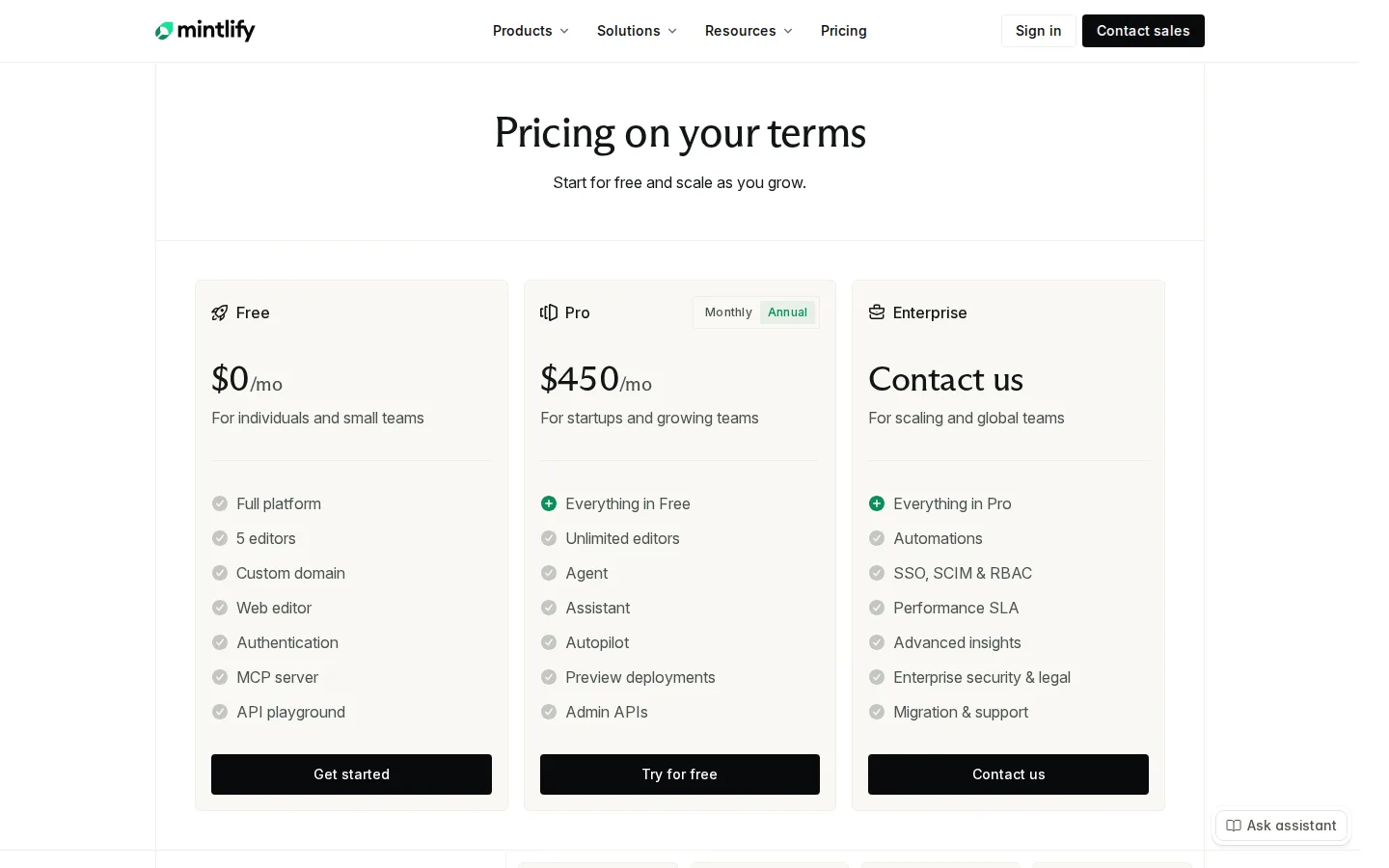
Evaluating whether Mintlify is worth the price depends heavily on your team size and AI volume. In our mintlify review evaluation, the platform transitions from an accessible Free Starter tier to a Pro plan priced at $450 per month on an annual contract or $540 billed monthly. Upgrading to Pro unlocks unlimited editor seats alongside an allowance of 10,000 monthly AI credits, with additional usage billed at $0.01 per credit.
Source: mintlify.com
Teams managing internal documentation can use gated visibility features to restrict content to matching readers. For content creation, Mintlify syncs directly with Git repositories, storing MDX files configured by a docs.json file and deploying automatically on push. Organizations seeking compliance controls like SSO, SCIM, role-based access, and self-hosting must negotiate custom Enterprise pricing, evaluated under our review methodology.
Scroll the table →
Plan
Base Price
Seat Allowance
AI Credit Metering
Target Use Case
Starter (Free)
$0/month
Up to 5 editor seats
Trial credits only
Small projects and individual contributors
Pro
$450/month (billed annually)
Unlimited editor seats
10,000/month (25 per answer, 250 per update; $0.01 overage)
Growing dev teams scaling AI automations
Enterprise
Custom pricing
Unlimited editor seats
Custom volume discounts
Organizations needing SSO, SCIM, and self-hosting
Pros and Cons
Mintlify simplifies technical documentation for engineering teams wanting polished sites without high frontend overhead. This mintlify review highlights how well the developer documentation platform balances developer toolchains with collaborative authoring.
Pros
• Browser-based web editor allows non-technical contributors to make quick content updates without touching the local CLI
• Built-in OpenAPI support and an interactive API playground streamline public-facing API references
• CI checks, reusable snippets, and file exclusions maintain consistent standards across large content trees
• Built-in agent features support Slack integration, Autopilot, and embedded in-product assistants
Cons
• Much like our framer review found for design workflows, technical teams thrive with structured systems while less technical teammates might encounter onboarding friction.
• Browser editing removes the friction of merge conflicts for routine copy tweaks.
• Teams running a modern developer documentation platform can restrict internal pages using file exclusion, personalized content, and CI checks.
• Growth beyond that boundary requires upgrading to Pro, which removes seat limits entirely while introducing monthly AI credit allowances.
Who Should Choose Mintlify
Engineering teams building developer-facing software get the most value from Mintlify. Documentation lives as MDX files inside a Git repository and deploys automatically upon push. Non-technical writers can update content quickly through an in-browser visual editor that commits directly to Git without touching a command line.
The verdict
Who Should Choose Mintlify
The platform works best when docs are public and code-centric. Teams needing internal knowledge bases face clear barriers, as password protection requires at least a paid tier and SAML SSO requires an enterprise contract. Furthermore, the platform lacks built-in customer support ticketing workflows.
Frequently Asked Questions
How does Mintlify work with Git?
Mintlify syncs directly with code repositories to keep docs close to your codebase. It supports multi-repo project automations and GitLab per-project webhooks, allowing code commits to trigger site updates automatically.
Can non-technical users edit Mintlify docs?
Yes, teammates can contribute without touching terminal commands or version control. Mintlify provides a browser-based web editor alongside CLI local development and quickstart deployment setups.
How does Mintlify handle internal documentation?
Mintlify manages audience access through gated visibility rules that only show internal content to matching readers. Teams can also exclude specific files and enforce CI checks to safeguard internal materials.
Is Mintlify worth the price?
Mintlify delivers strong value for engineering teams wanting modern developer documentation. It provides a Free tier (formerly Starter) alongside advanced tools like an API playground and OpenAPI support, though enterprise features like direct support ticketing integrations carry higher tiers.
Evaluating a git based documentation tool often depends on your team balance between developers and non-technical contributors. This mintlify review highlights how the platform combines automated multi-repo workflows with a web editor to ease maintenance overhead.
Produced by
ToolNest Editorial
Independent software reviews, comparisons and guides for people who want their tools to feel lighter.
Keep reading
More from the nest.
 Reviews
Read our candid Postmark review for small SaaS teams. Compare transactional deliverability, pricing, logs, and setup trade-offs before you build.
 Reviews
Read our candid Attio review to see if this flexible, data-driven CRM fits your lean team. Explore pricing, setup complexity, and key trade-offs.
 Reviews
Read our candid Figma review for small product teams. Discover how seat pricing, Dev Mode, and AI tools impact budget-conscious designers and developers.
The ToolNest letter
Better tools, once a week.
One calm email with the reviews, comparisons and tools worth your attention.
Join the newsletter“Less noise. Better tools. A calmer stack.”


