PageFly vs Shogun: Visual Page Builders for Custom Shopify Storefronts
Compare PageFly vs Shogun for your Shopify store. See pricing, page speed impacts, theme integration, and which builder suits non-developers best.

Quick verdict
In this pagefly vs shogun comparison, choose PageFly if you run a single store on a lean budget and want granular design control. It offers a permanent free tier with 24/7 live chat support, custom code options on all plans, and roughly 100 third-party app integrations.
Pick Shogun if you manage multi-store setups that need cross-store content syncing and native personalization features. However, its starting tier costs $39 per month for only 25 published pages, and unlimited pages require the $199 per month Grow plan. Both tools lock designs into proprietary runtimes that require manual rebuilding if uninstalled, an operational friction teams can document using a loom review walkthrough.
How we compared PageFly and Shogun
To establish a clear pagefly vs shogun comparison, we evaluated how each platform handles core merchant requirements, including pricing structures, theme integration, runtime performance, and store cleanup. Both apps support Shopify 2.0 themes and mobile-responsive layouts, but their architecture relies on injecting an external JavaScript runtime of 80KB to over 250KB that hydrates page elements directly on the client side.
Source: pagefly.io
We analyzed costs across everyday use cases, contrasting PageFly's free plan—which includes full features, 24/7 live chat support, and one published page, alongside paid plans starting at $24 per month—against Shogun's model, which relies on a 10-day free trial, a $39 per month Build plan, and a $149 per month Measure tier for split testing. You can explore broader evaluation methodologies in our comparison hub.
Evaluating pagefly vs shogun reveals distinct approaches to storefront rendering, costs, and ongoing theme maintenance, as detailed in our review methodology.
Source: help.pagefly.io
• Feature / Metric | PageFly | Shogun
• Shopify 2.0 & Breakpoint Support | Supports Shopify 2.0 themes with granular desktop, tablet, and mobile edits | Supports Shopify 2.0 themes with visual no-code page building
• Speed & Mobile Impact | Adds 300 to 600 ms load time; Lighthouse mobile score of 52 | Adds 300 to 550 ms load time; Lighthouse mobile score of 71
• A/B Testing & Optimization | Built-in testing starts at $39/month (Optimize plan) | Native A/B testing included across dedicated plans
• Uninstallation & Lock-In | Can break custom layouts and leave orphaned code snippets | Can break custom layouts and leave orphaned code snippets
• Starting Price | Free tier available; paid plans start at $24/month | 10-day free trial; paid plans start at $39/month
Performance and Storefront Integration: PageFly vs Shogun
Evaluating a shopify page builder comparison often starts with load times and user experience. PageFly claims to be page speed optimized and compatible across all Shopify themes. However, heavier landing page builders can cause Lighthouse performance scores to drop by 18 to 35 points, making direct measurement on your live storefront essential.
When managing theme layouts and sections, PageFly exposes extensive element-level visual controls without requiring users to write Liquid code. In contrast, Shogun provides tools tailored for broader content operations, such as reusable global sections, content scheduling, and cross-store workflows.
Store owners comparing pagefly vs shogun must also prepare for migration hurdles. Uninstalling either builder app leaves published pages live on Shopify as uneditable static shells because the generated HTML remains tied to the platform. Migrating away from Shogun or PageFly to rebuild pages natively in theme templates typically requires three to six weeks depending on total page count, as detailed in our software review hub.
PageFly vs Shogun: Feature and Criteria Breakdown
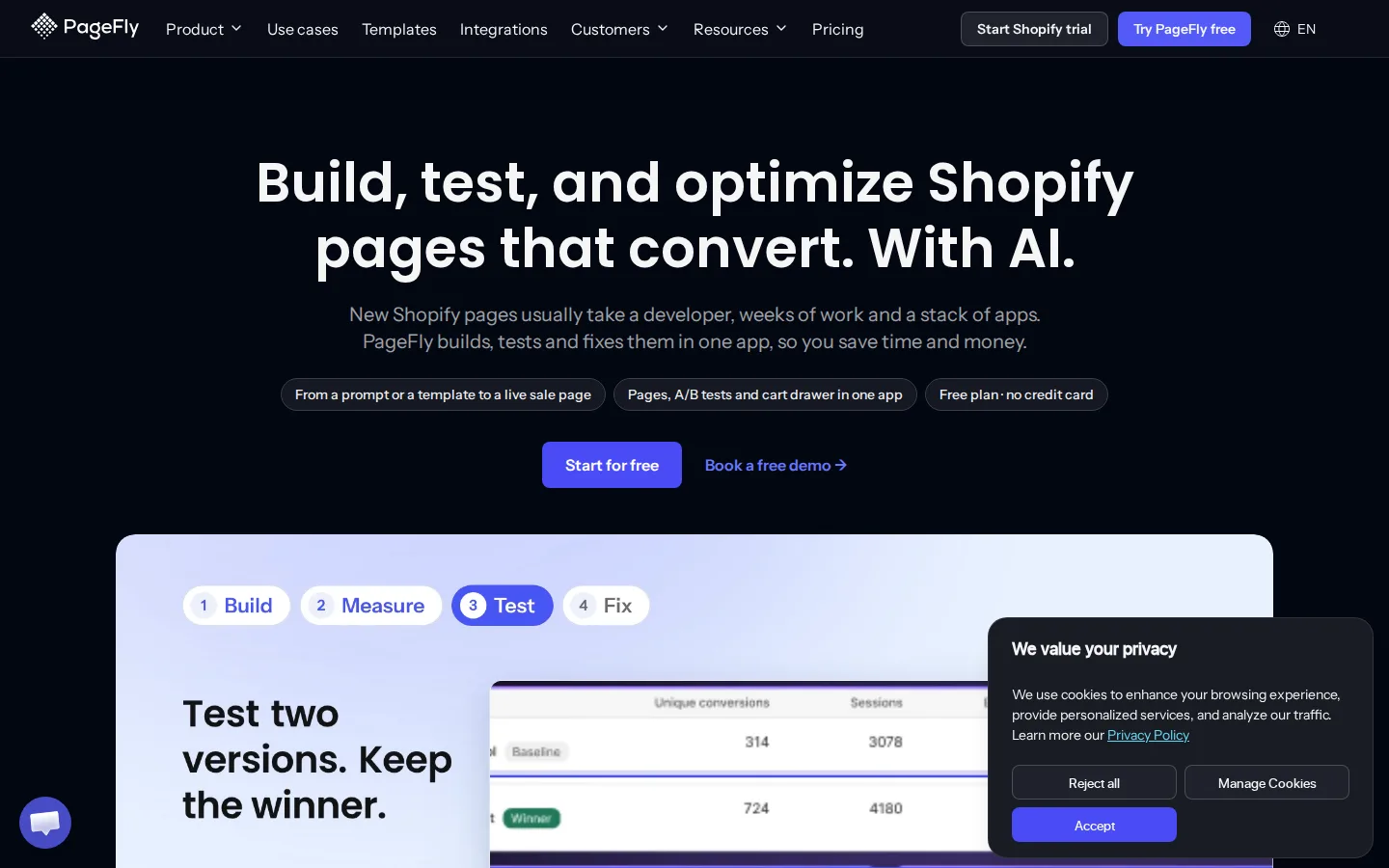
Evaluating pagefly vs shogun comes down to how you balance testing features, editor flexibility, and plan tiers. Shogun emphasizes built-in conversion rate optimization tools, whereas PageFly scales its pricing around published slots and AI usage. You can explore our practical guide hub for broader advice on evaluating store-building tools.
Source: pagefly.io
Source: pagefly.io
• Feature / Criterion | PageFly | Shogun
• Core visual editor | Drag-and-drop builder with custom CSS and JS options, plus image lazy loading | No-code visual page builder for landing pages, PDPs, and campaigns
• Theme compatibility | Speed optimized and compatible across Shopify themes | Visual editor designed for custom ecommerce storefront pages
• A/B testing and CRO | Available on Optimize ($39/mo) and Accelerate ($99/mo) plans | Native A/B testing and audience personalization included across plans
• Entry pricing tier | Free tier (1 slot); Builder starts at $24/mo for 5 slots | Requires a paid plan for visual building and personalization
PageFly vs Shogun Pricing: Plans and Costs
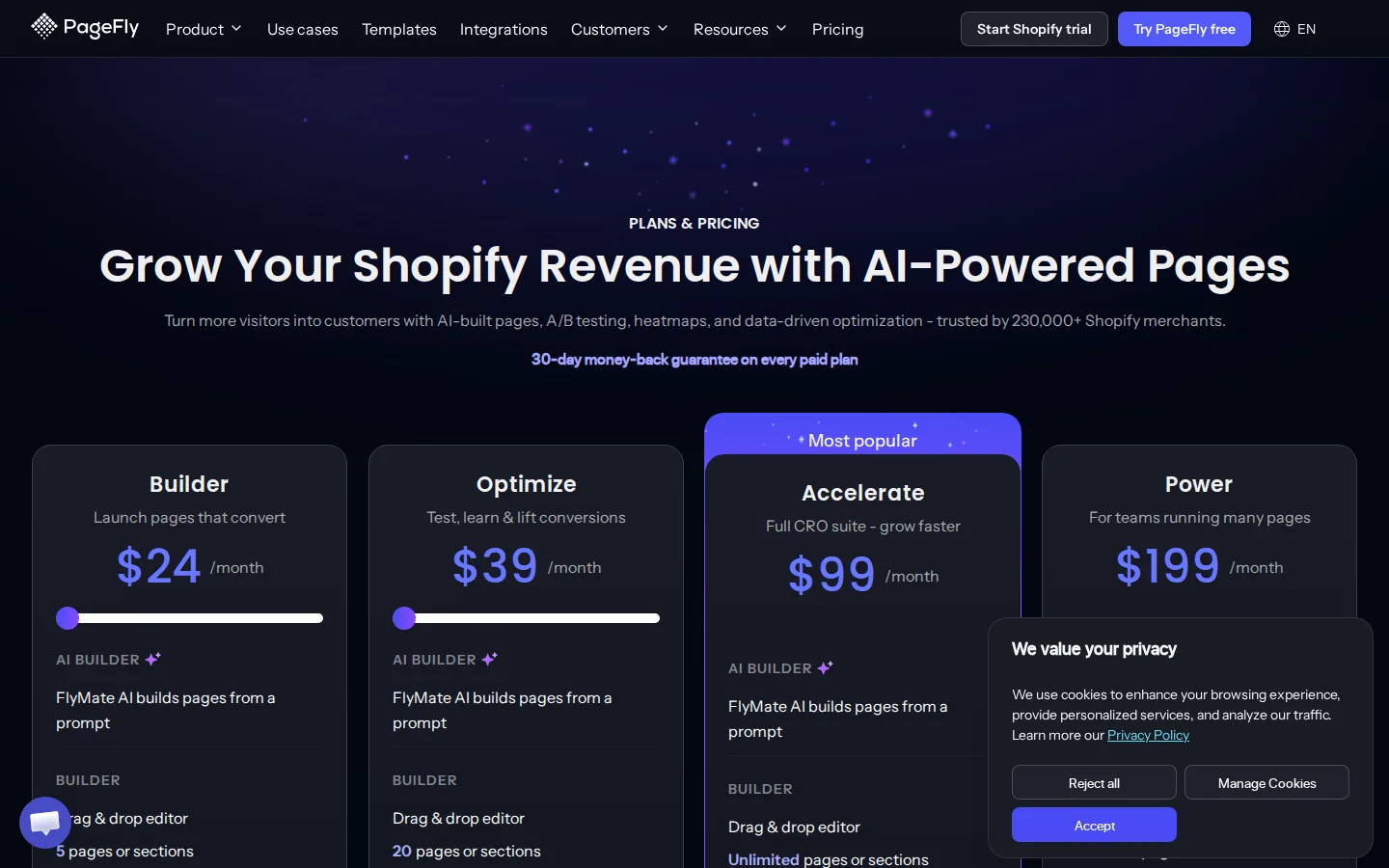
When evaluating pagefly vs shogun pricing, both platforms structure tiers around published output, but they scale differently. PageFly provides an entry-level tier at $24 per month for five published pages or sections, an Optimize tier at $39 per month for 20 published slots with built-in A/B testing and heatmaps, and an Accelerate tier at $99 per month for unlimited pages. Higher volumes scale up to $199 per month.
For merchants weighing these tools, Shogun offers a free Draft Mode tier at $0 that lets teams design with templates and reusable sections without publishing capabilities. Its paid options start with the Build plan at $39 per month for up to 25 pages, followed by the Grow plan at $199 per month for unlimited pages, and the Advanced plan at $499 per month for multi-store operations.
Pros and Cons: PageFly vs Shogun
Evaluating these tools comes down to how your team balances customization depth against built-in conversion tooling for your storefront.
Pros
• Both platforms support Shopify 2.0 themes and provide mobile-responsive design workspaces
Who Should Choose Which Builder
PageFly fits budget-conscious merchants and growing stores that want accessible drag-and-drop flexibility backed by a large user community. Its free plan lets you publish one live page or section with template access, while paid tiers start at $24 per month for up to five pages. However, merchants should note that uninstalling PageFly permanently deletes all created content from the store.
Shogun suits established teams and conversion rate optimization specialists who prioritize visual page building alongside native CRO tools and analytics. Shogun does not allow publishing on its free draft tier, so you need a paid plan to launch landing pages or product experiences. A key operational difference in the tools evaluation is that Shogun's published pages remain live as pure HTML if you uninstall the app.
Frequently Asked Questions: PageFly vs Shogun
How do custom pages generated by each builder impact mobile Core Web Vitals and load speeds?
In real-world mobile Google PageSpeed Insights tests, a landing page built with Shogun scored 72 out of 100, while PageFly scored 68 out of 100. PageFly ships a heavier JavaScript bundle of about 340KB compared to Shogun’s payload of 260KB to 300KB. This added weight matters because main-thread blocking time directly affects Interaction to Next Paint (INP), a core Google ranking metric. PageFly provides native settings for image lazy loading and custom scripts to help manage overhead.
Which editor better handles Shopify Online Store 2.0 sections and dynamic product blocks?
Both platforms support modern Shopify Online Store 2.0 theme environments, but they cater to different workflows. PageFly focuses on visual drag-and-drop flexibility, letting you design standalone layouts or modular theme sections without coding. Shogun pairs its visual page builder with integrated audience personalization and native CRO testing across plans, making it straightforward to deploy dynamic product detail pages and evaluate them against live store traffic.
What happens to layout structure and assets if a merchant decides to uninstall the app?
Both builders rely on proprietary JavaScript rendering layers rather than compiling directly into native Shopify Liquid theme code. Because published content depends on the application that created it, removing either tool can break existing layouts. Moving away requires rebuilding your storefront page by page within your standard theme templates before completing uninstallation.
Related reading: Loom Review.
For a closer look, read our comparison hub and our review methodology.
Produced by
ToolNest Editorial
Independent software reviews, comparisons and guides for people who want their tools to feel lighter.
Keep reading
More from the nest.
 Comparisons
Figma and Penpot both make serious design software. We compare ecosystem, collaboration, pricing and the teams each tool suits best.
 Comparisons
Compare ShipStation vs Shippo for your small Shopify store. Review postage discounts, automation presets, and pricing to pick the right fulfillment tool.
 Comparisons
Compare Yotpo vs Okendo for scaling Shopify stores. We break down custom review attributes, Klaviyo flows, and pricing tiers to help you decide.
The ToolNest letter
Better tools, once a week.
One calm email with the reviews, comparisons and tools worth your attention.
Join the newsletter“Less noise. Better tools. A calmer stack.”