Notion Review for Small Teams: Practical Guide
Read our candid Notion review for small teams. Explore verified pricing, core trade-offs, and daily workflow fit to decide if it matches your needs.

The short version
For small teams that prioritize wikis, structured notes, and flexible project trackers, Notion remains an effective shared hub. Its block architecture lets you tailor docs and connected databases without forcing rigid hierarchy on growing projects.
The main trade-offs involve operational depth. Reviewers point out that offline capabilities are limited and not built for offline-first work. Teams also encounter automation bottlenecks, including buttons that cannot trigger workflows and relational-property filter issues.
Collaboration limits start early: the Free plan restricts block creation as soon as two or more members share a workspace. If your small team depends primarily on living documentation, Notion is a clear fit; if you require complex workflow automation or robust offline reliability, specialized alternatives perform better.
Notion Review for Small Teams: Where It Fits and Where It Fails
This Notion review for small teams breaks down whether the workspace handles everyday collaboration or slows your projects down.
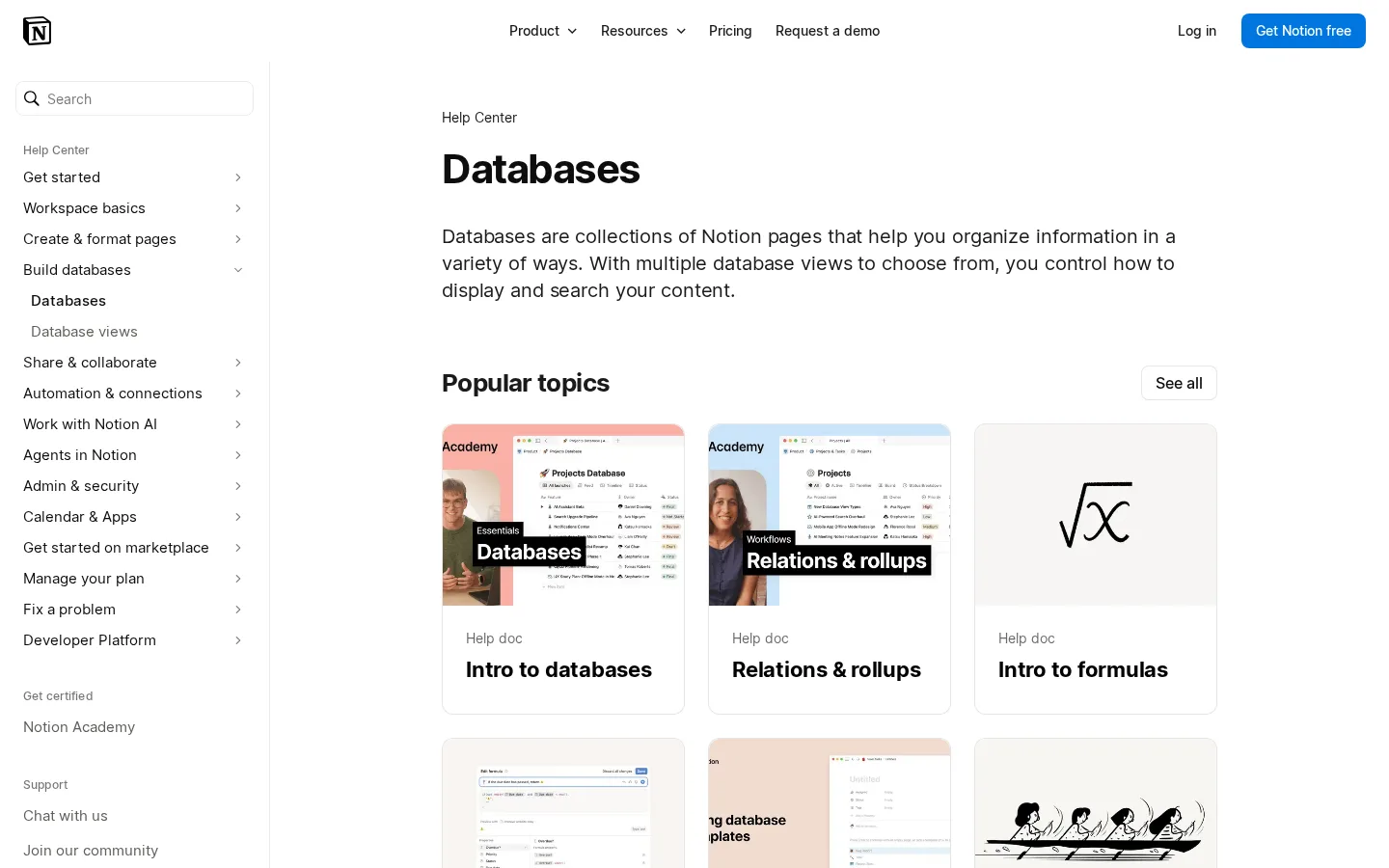
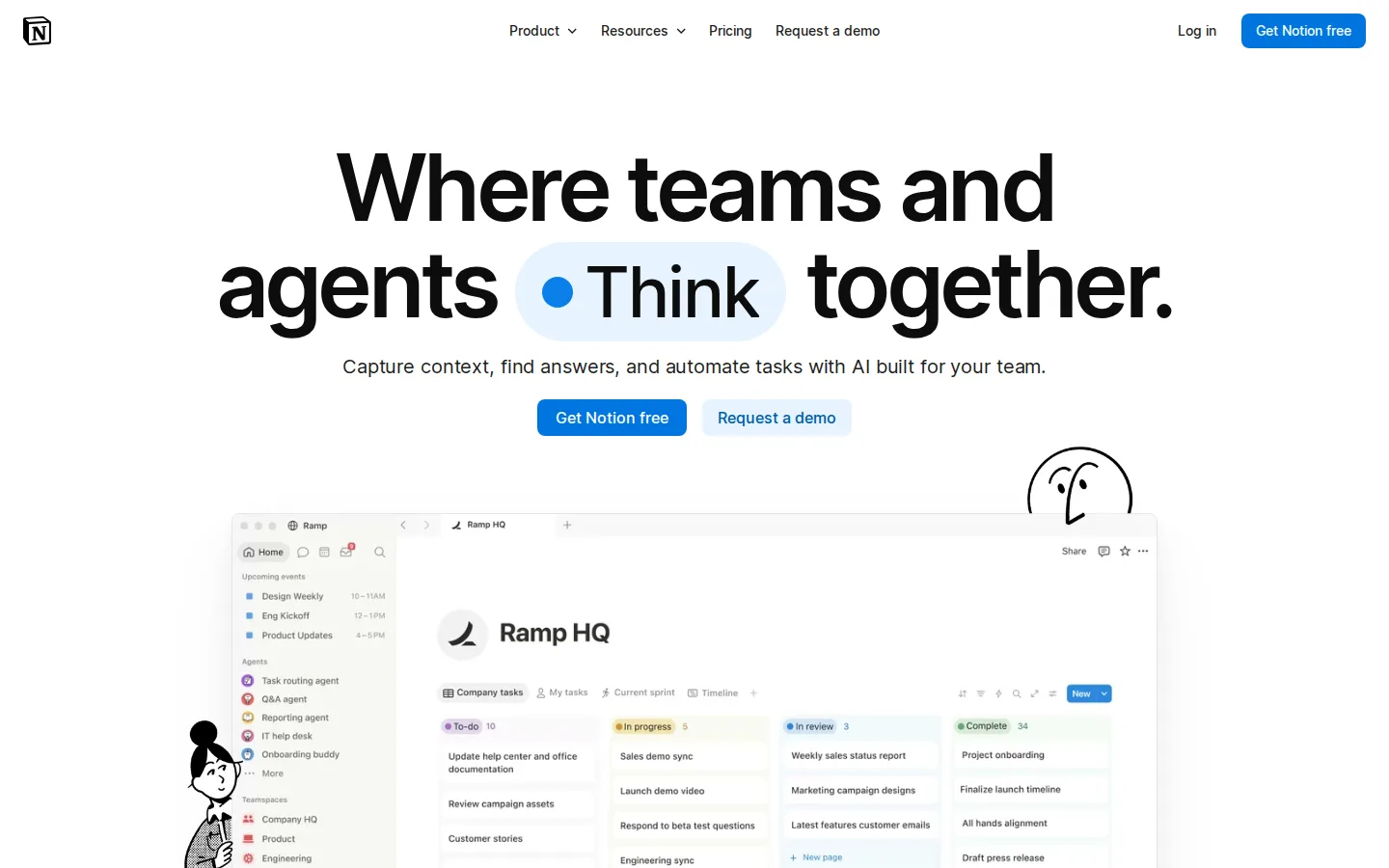
Notion combines documents, databases, and company wikis into a modular workspace built out of movable blocks. Instead of isolating files in standard folder trees, teams use pages to draft notes and embed databases that can display the same underlying records across tables, kanban boards, calendars, timelines, or galleries. The platform claims widespread adoption, reporting over 100 million users across more than 50 countries, as well as use by 62% of Fortune 100 companies.
Source: notion.com
Plan breakdown: costs, limits, and team tiers
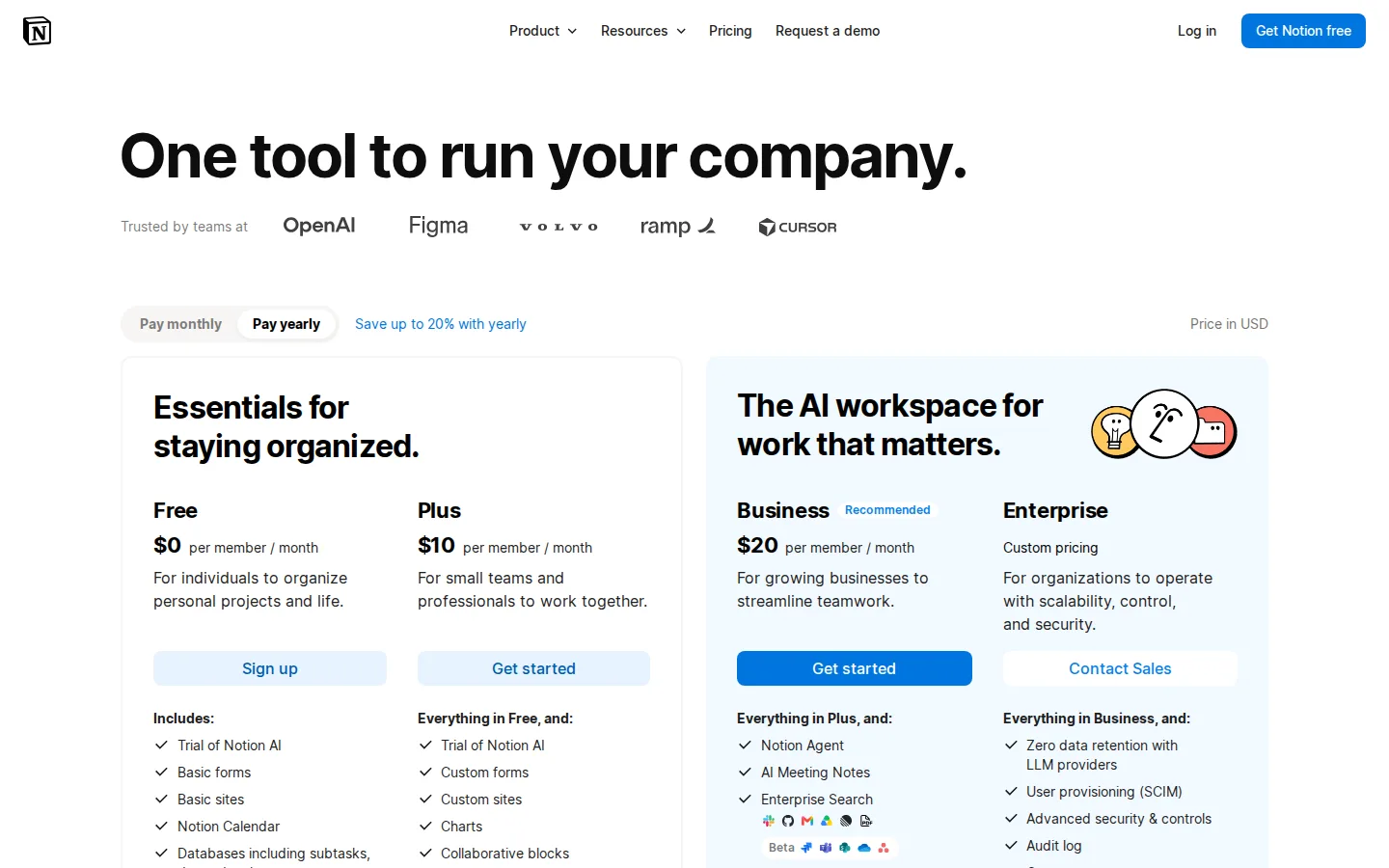
Notion structures its pricing across four main tiers, balancing storage limits, revision history, and administrative control. The Free plan provides unlimited pages and blocks for solo users, but restricts block creation once two or more members collaborate in a workspace. It also limits file uploads to 5 MB, restricts page history to 7 days, and caps external guest sharing at 10 users.
Source: notion.com
The Plus tier costs $10 per member per month on annual billing. It expands version tracking to 30 days of page history and raises file upload limits to 5 GB according to official pricing documentation, although third-party reviews often describe uploads as unlimited. Students and educators can obtain the Plus plan with a single member limit for free using a qualifying school email.
For organizations needing structured controls, the Business tier costs $20 per member per month on annual billing (older reviews cite an $18 per person rate). It includes 90 days of page history, private teamspaces, SAML SSO, and granular database permissions. The Business tier also bundles the full Notion AI suite—including Notion Agent, AI Meeting Notes, and Enterprise Search—while Free and Plus users only receive limited trials. Custom Agents add an extra usage-based cost across plans, billed at $10 per 1,000 monthly credits after an initial free trial.
Enterprise plans require custom pricing and provide governance tools such as user provisioning via SCIM, detailed audit logs, and a dedicated customer success manager. Standard AI tiers keep customer data for 30 days, making Enterprise the only plan offering zero data retention agreements with LLM providers.
Notion AI, Custom Agents, and Enterprise Search
Notion packages its core AI features differently depending on your plan tier. The full Notion AI suite—including Notion Agent, AI Meeting Notes, and Enterprise Search—is integrated directly into the Business tier, leaving the Free and Plus plans with only limited trials.
The Business tier is priced at $20 per member per month on annual billing according to 2026 reviews, though earlier documentation referenced an $18 per person rate. Beyond standard tier pricing, custom agents introduce a consumption-based fee: following a free trial, they require credits priced at $10 per 1,000 monthly Notion credits on top of regular user seat fees.
Where Notion falls short: offline mode, automations, and scale
Notion struggles in workflows that require robust offline access. Reviewers consistently note that its offline capabilities remain limited, making it poorly suited for offline-first work. Additionally, users looking to secure sensitive documentation will find that Notion lacks native password protection for individual pages.
Source: notion.com
Scale and complexity also expose noticeable technical friction. Managing extensive sets of notes or expanding databases frequently leads to slowness and performance degradation. Meanwhile, workflow builders face rigid automation constraints: action buttons often cannot trigger workflows, relational-property filters encounter issues, and custom agent timers can fail unexpectedly.
Sample Evaluation Scorecard
Notion excels at documentation and flexible structuring, but it falls short against alternatives when handling extensive data or automation. Reviewers report performance degradation and slowness with large databases, limited offline capabilities, and ongoing workflow constraints such as failing timers and relational filter issues.
Pros and cons summary
Notion pairs an accessible free tier and broad enterprise adoption with noticeable functional constraints around speed, offline reliability, and deep workflow automation.
Pros
• Notion bundles its full AI suite into the Business tier without a separate subscription.
• Notion's block architecture lets teams tailor docs and databases.
• Notion's Free plan provides unlimited pages and blocks for solo users.
• Notion displays records across tables, kanban boards, calendars, and galleries.
Cons
• Notion lacks robust offline capabilities for teams that need reliable offline-first work.
• Notion's automation buttons cannot trigger workflows, and relational-property filters have limits.
• Notion's Free plan restricts block creation once two or more members share a workspace.
• Notion limits file uploads to 5 MB and page history to 7 days on lower tiers.
Compared with specialized alternatives, Notion falls short when handling large databases, which often suffer performance degradation. It lacks native individual page password protection, offers limited offline capability, and runs into automation hurdles like failing custom agent timers and relational filter bugs.
The verdict
The verdict: should your team adopt Notion?
Adopt Notion if your team needs an adaptable, docs-first knowledge base that unifies notes and linked databases. Look elsewhere if your operations require heavy background automations or robust offline-first functionality, where its technical constraints will become a barrier.
Frequently asked questions
How does Notion handle data privacy with its AI features?
Notion states it does not train AI models on customer data without opt-in consent and maintains contracts barring AI subprocessors from doing so. Standard AI tiers keep customer data for 30 days, while zero data retention with LLM providers is limited to Enterprise plans.
Can Notion be used offline?
Notion allows you to download pages or cache recents and favorites, but reviewers report its offline capabilities remain limited and unsuited for an offline-first workflow.
What guest limits apply to Notion accounts?
The Free plan allows you to invite up to 10 external guests to collaborate on specific pages without adding them as full workspace members.
Can students and teachers use Notion for free?
Yes. Students and educators can access the Plus plan with a single member limit at no cost by signing up with an eligible school email address.
Related reading: Loom Review.
For a closer look, read our software review hub and our review methodology.
For a closer look, read our software review hub and our review methodology.
Produced by
ToolNest Editorial
Independent software reviews, comparisons and guides for people who want their tools to feel lighter.
Keep reading
More from the nest.
The ToolNest letter
Better tools, once a week.
One calm email with the reviews, comparisons and tools worth your attention.
Join the newsletter“Less noise. Better tools. A calmer stack.”


