Slite Review: Calm, Structured Knowledge Management for Remote Teams
Our Slite review breaks down pricing, document structure, and trade-offs to help remote managers choose the right team wiki without bloat.

The short version: Slite review
The short version: Slite review
Slite is built for remote and hybrid teams of 10 to 200 people who want an accessible internal wiki without the burden of database management. Its editor intentionally restricts layouts and styling to keep documents clean and effortless to maintain. Unlike alternatives discussed in our notion review for small teams, Slite avoids relational databases and complex views, steering clear of feature bloat so teams can focus directly on writing and finding knowledge.
To keep documentation trustworthy, Slite uses doc verification cycles that flag stale pages and prioritize verified guides inside its AI search Ask feature. When evaluating how much Slite costs, paid access starts at $10 per user per month billed annually on the Basic tier (with historical benchmarks at $8). A free tier exists for testing up to 50 docs, though growing teams quickly outgrow its limits.
Slite Scorecard
In our slite review, this slite team wiki stands out as a focused choice for slite knowledge management. Instead of adding complex relational databases, Slite concentrates purely on clear documentation, making slite for remote teams approachable from day one. Formatting constraints keep documents clean, while the Ask search tool summarizes older decisions with cited document links.
Structuring Handbooks Without Creeping Sprawl
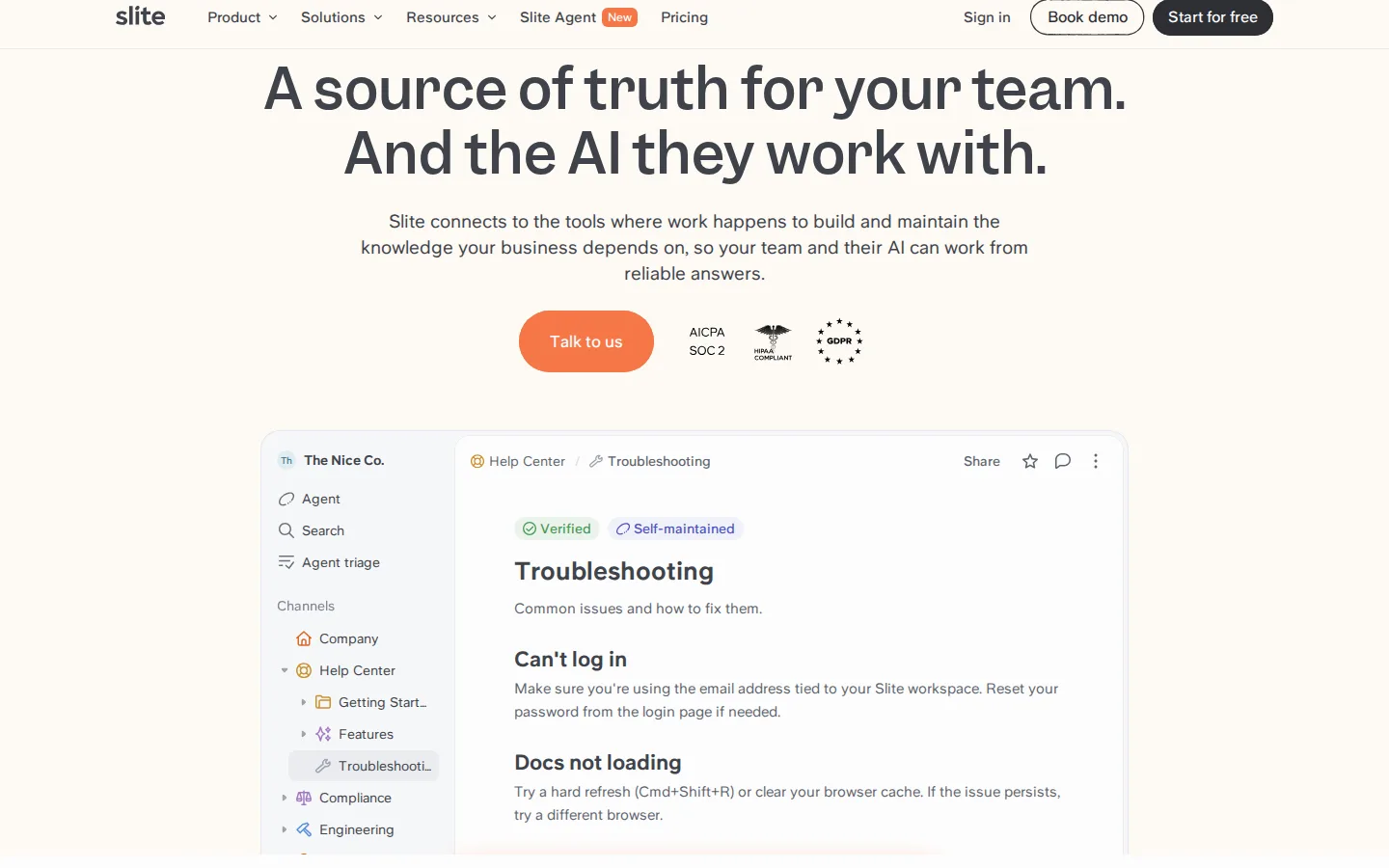
Most internal wikis degrade because contributors spend hours fiddling with layouts or nesting complex relations until navigation breaks down. In this slite review, the platform's core advantage is intentional restraint: the document editor deliberately limits layout and formatting options so pages stay uniform, readable, and quick to write. It bypasses the temptation to turn documents into full operating systems by omitting built-in databases and advanced project management features entirely.
Source: slite.com
Keeping a slite team wiki reliable requires active upkeep, which the platform handles through structured verification and background monitoring. Document owners can assign validity schedules—such as 30 days, 90 days, 1 year, or custom review cycles—to ensure handbook entries are periodically signed off as accurate. To catch changes before scheduled reviews, Slite Agent monitors activity across Slack, Linear, GitHub, and connected codebases, spotting outdated details and drafting updates for an owner to approve.
Team members can then query the Ask feature, which synthesizes answers using direct citations back to verified source docs rather than surfacing unchecked clutter.
Teams that prioritize clear, focused reporting often take a similar approach to infrastructure, as noted in our fathom analytics review, opting for lightweight clarity over unwieldy, sprawling dashboards.
Surfacing past decisions with AI search
Locating historical context often stalls projects when records remain buried across scattered archives. In our slite review, the platform addresses this with Ask, an integrated AI search feature that synthesizes natural language inquiries into concise summaries paired with direct citations to stored records. Instead of manually combing through lengthy logs, teammates can ask specific operational questions and immediately verify the output against the linked source documents.
When employees query past architectural choices or policy changes, Ask processes the query across existing company documentation and surfaces an answer alongside cited document links. For teams weighing confidentiality alongside convenience, Slite states that customer data is never utilized to train AI models. You can explore how this ranks against similar tools in our software review hub.
AI answers remain only as dependable as the underlying notes they draw from. Slite supports this with scheduled document verification periods set to 30 days, 90 days, 1 year, or custom intervals to ensure documentation owners review expired content. In addition, Slite Agent monitors tools like Slack, Linear, GitHub, and codebases to spot outdated details and draft updates for owner approval before records go stale.
Document styling, tables, and editor trade-offs
In this Slite review, the platform's core identity becomes clearest when looking at the writing experience. The document editor intentionally constrains layout and formatting options to maintain simplicity and prevent complex designs. Unlike broader platforms that let you manipulate intricate visual blocks, Slite keeps the presentation standardized. It does not include built-in databases or advanced project management features, trading custom workflow builders for a clean, distraction-free environment that requires zero workspace architecture skills.
For a team wiki, this limitation removes the decision fatigue that often leads to messy workspaces. You cannot spend hours designing custom document headers or linking relational data properties. As outlined in our review methodology, assessing software means balancing raw flexibility against daily friction; Slite bets that teams prefer straightforward documentation over building bespoke internal applications.
Slite pricing and trial realities
If you are evaluating whether an ongoing free tier exists, the short answer is no. While you can test the platform through a 14-day free trial that unlocks Basic and Pro features without entering a credit card, maintaining access afterward requires selecting a paid subscription plan.
Source: slite.com
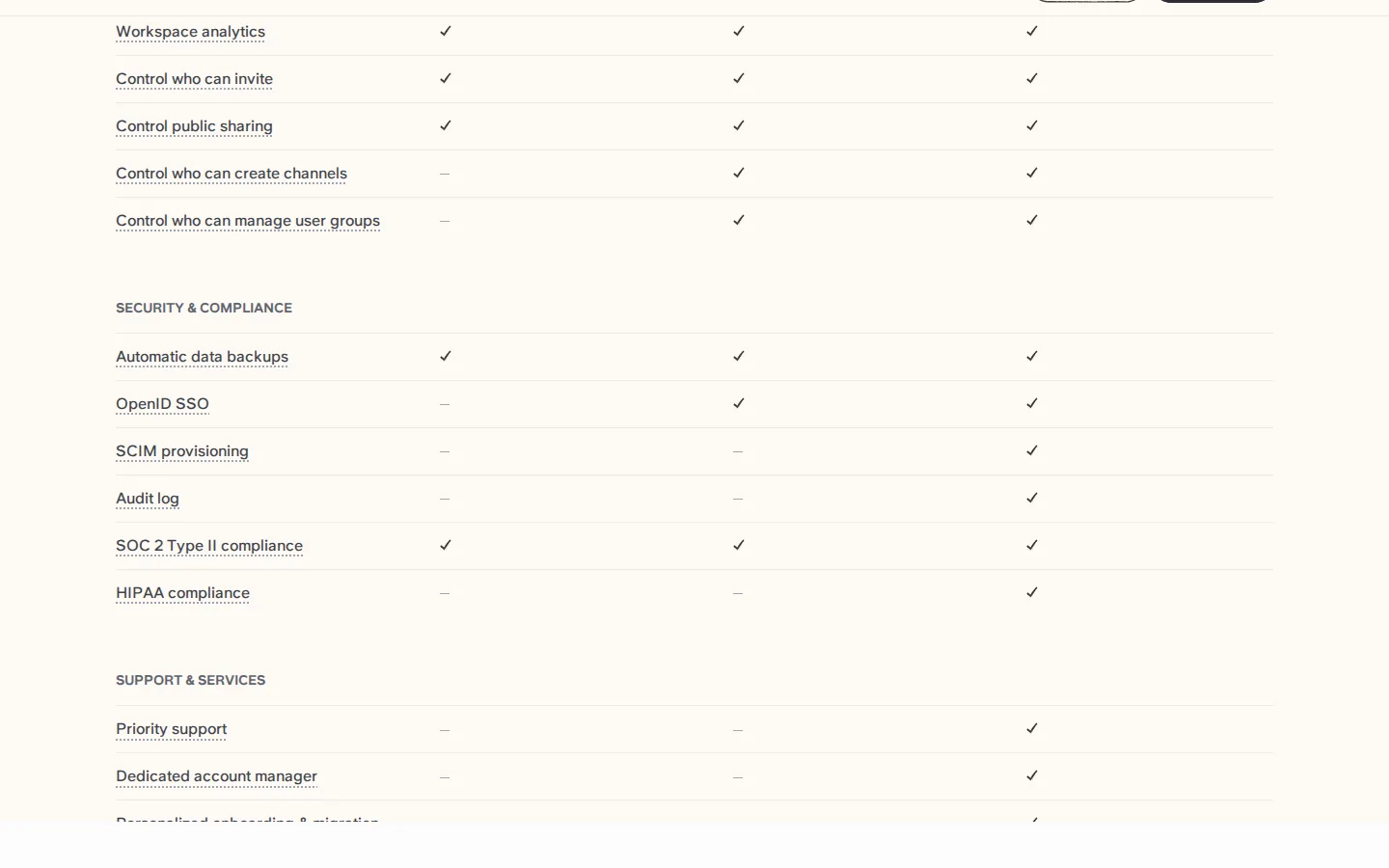
When it comes to Slite pricing, the catalog centers on two primary tiers. The Basic plan costs $10 per member per month, while the Pro tier runs $20 per member per month. Eligible academic and non-profit organizations can also apply for discounts on the Basic plan.
For teams comparing Slite knowledge management to more complex platforms, the feature set targets documentation clarity rather than boundless configuration. It includes native AI search via Ask to synthesize direct answers and links, alongside document verification workflows that let you schedule review intervals like 30 days, 90 days, or a full year.
Because Slite intentionally constrains document formatting and excludes built-in databases or advanced project management features, early-stage groups must evaluate whether a dedicated slite team wiki justifies a per-seat fee alongside their other workplace tools.
In our slite review evaluation, Slite shines by keeping slite knowledge management uncluttered. The editor purposefully limits formatting and layout choices so that teams cannot build convoluted pages, preventing sprawl across company wikis. To surface previous discussions and decisions, the Ask feature synthesizes queries using natural language and provides cited links back to original entries. Automated background monitoring also flags stale text across codebases and issue trackers for review.
However, organizations needing sophisticated wikis will hit clear limits. Slite does not provide native relational databases or comprehensive project tracking capabilities. In addition, its constrained layout choices mean you cannot build advanced dashboard visuals or deeply customized tables, favoring strict standard documentation over complete design freedom.
Pros
• Support & documentation.
Cons
• A free tier exists for testing up to 50 docs
In our slite review assessment, Slite for remote teams works well when organizations need a clean, distraction-free slite team wiki without setup overhead. The document editor deliberately limits layout choices, ensuring consistency and preventing decision fatigue across distributed groups.
For ongoing slite knowledge management, features like document verification and Ask AI search help remote staff quickly find and trust information. However, teams comparing Slite to complex wikis will notice that it does not include relational databases or advanced project management systems.
The verdict
Who should choose Slite?
Regarding slite pricing, there is no permanent free tier; continuing after the 14-day trial requires moving to the Basic plan at $10 per member per month or the Pro plan at $20 per member per month. Choose Slite if you want fast documentation adoption, but look elsewhere if your workflows require structured databases.
Is Slite’s free tier usable?
Slite does not offer an ongoing free tier. Instead, new teams can evaluate the platform with a 14-day free trial that unlocks Basic and Pro features without asking for a credit card upfront. Once that two-week trial concludes, continuing to use your workspace requires upgrading to a paid subscription.
How much does Slite cost?
Slite pricing starts at $10 per member per month on the Basic plan, which covers core document workflows and knowledge management tools. The Pro plan costs $20 per member per month and expands storage and advanced administration. Discounted rates on the Basic plan are also available for qualified academic institutions and non-profit organizations.
Is Slite good for remote teams?
Yes. Slite for remote teams functions as an asynchronous memory layer. Distributed organizations stay aligned using Ask, an AI search tool that answers natural language questions with direct source citations. Additionally, Slite Agent connects to platforms like Slack, Linear, and GitHub to catch stale guidance and draft refreshers for document owners to approve.
How does Slite compare to complex wikis?
Unlike traditional, sprawling corporate wikis that require intensive manual upkeep, Slite knowledge management focuses on automated hygiene. Built-in verification intervals—ranging from 30 days to custom periods—prompt owners when pages need review. Security standards are also enterprise-ready, with SOC 2 Type II, HIPAA, and GDPR compliance, along with a firm policy that customer data is never used to train AI models.
Related reading: Notion Review for Small Teams and Loom Review.
Produced by
ToolNest Editorial
Independent software reviews, comparisons and guides for people who want their tools to feel lighter.
Keep reading
More from the nest.
 Reviews
Our candid Asana review for small agencies breaks down pricing, daily workflows, fit, and key trade-offs without the hype. See if it fits your team.
 Reviews
Read our candid Notion review for small teams. Explore verified pricing, core trade-offs, and daily workflow fit to decide if it matches your needs.
 Reviews
Read our Loom review to evaluate pricing, video storage limits, and whether async recordings genuinely cut meeting overload for remote teams.
The ToolNest letter
Better tools, once a week.
One calm email with the reviews, comparisons and tools worth your attention.
Join the newsletter“Less noise. Better tools. A calmer stack.”


