Framer Review Can Interactive AI Design Replace Your Workflow
Our candid Framer review evaluates AI layout tools, production publishing, and real trade-offs for founders and designers skipping developer handoff.

The Framer Review Verdict: Who Should Choose It
This Framer review cuts past the hype to evaluate how the platform balances visual design with production publishing. You get fast layout tools alongside real hosting limitations.
The Short Version
Framer delivers rapid, high-fidelity marketing pages for lean teams that prioritize speed over complex backends. Our framer review finds it shines for startup launch assets, portfolios, and responsive landing sites hosted on a global CDN. Similar to our attio review, lean teams gain agility when choosing focused platforms over bloated enterprise suites.
The trade-off is architectural lock-in. You cannot export clean production React code or host your site elsewhere, and native e-commerce remains impractical. If your roadmap requires custom server logic or a code repository, look elsewhere.
Production Code vs. Vector Artboards: Evaluating the Canvas
Designing directly on a web-native canvas eliminates the gap between design mockups and actual browser output. Framer mirrors a Figma-like infinite canvas with responsive breakpoints, auto-layout stacking, and real-time multiplayer editing while compiling directly to live markup. It pairs this layout engine with native CDN publishing, built-in CMS tools, and SEO controls on a single surface.
The primary trade-off of this unified setup is platform lock-in. Framer locks websites and AI-generated assets into its proprietary hosted runtime, preventing teams from exporting production code or React components to an external repository. While ideal for marketing pages, the engine remains unsuited for native e-commerce or complex web applications.
In this framer review, the daily workflow reveals both speed gains and manual cleanup. Wireframer can draft responsive sections from text prompts, but designers must still manually resolve styling clashes and layout overlaps before launch. Just as teams weigh pipeline trade-offs in our Close CRM review, growth squads must weigh Framer's rapid publishing against its structural limits.
AI Wireframing and Layout Generation
Framer speeds up early prototyping by turning text prompts into functional, multi-section page drafts. Its Wireframer feature builds responsive sections, content hierarchy, and placeholder text from a description, though creators still need to clean up styling and overlapping elements manually before publishing.
Component creation runs through Workshop, which generates interactive page elements from natural language instructions. Users can build production-ready accordions, tabs, and carousels directly inside the editor without touching external code or writing JavaScript.
Any honest framer review must highlight the platform's architectural boundary. The AI outputs live components directly onto the visual canvas, but the system locks all assets into its hosted runtime and forbids exporting production React code to an external repository.
Teams evaluating collaborative software often weigh structured documentation against visual canvasing, much like the trade-offs explored in our craft for teams review. For marketing teams building launch pages, Framer's automated layouts provide a fast start as long as you plan to host the project on its infrastructure.
Framer vs Figma Workflow and Prototyping Trade-offs
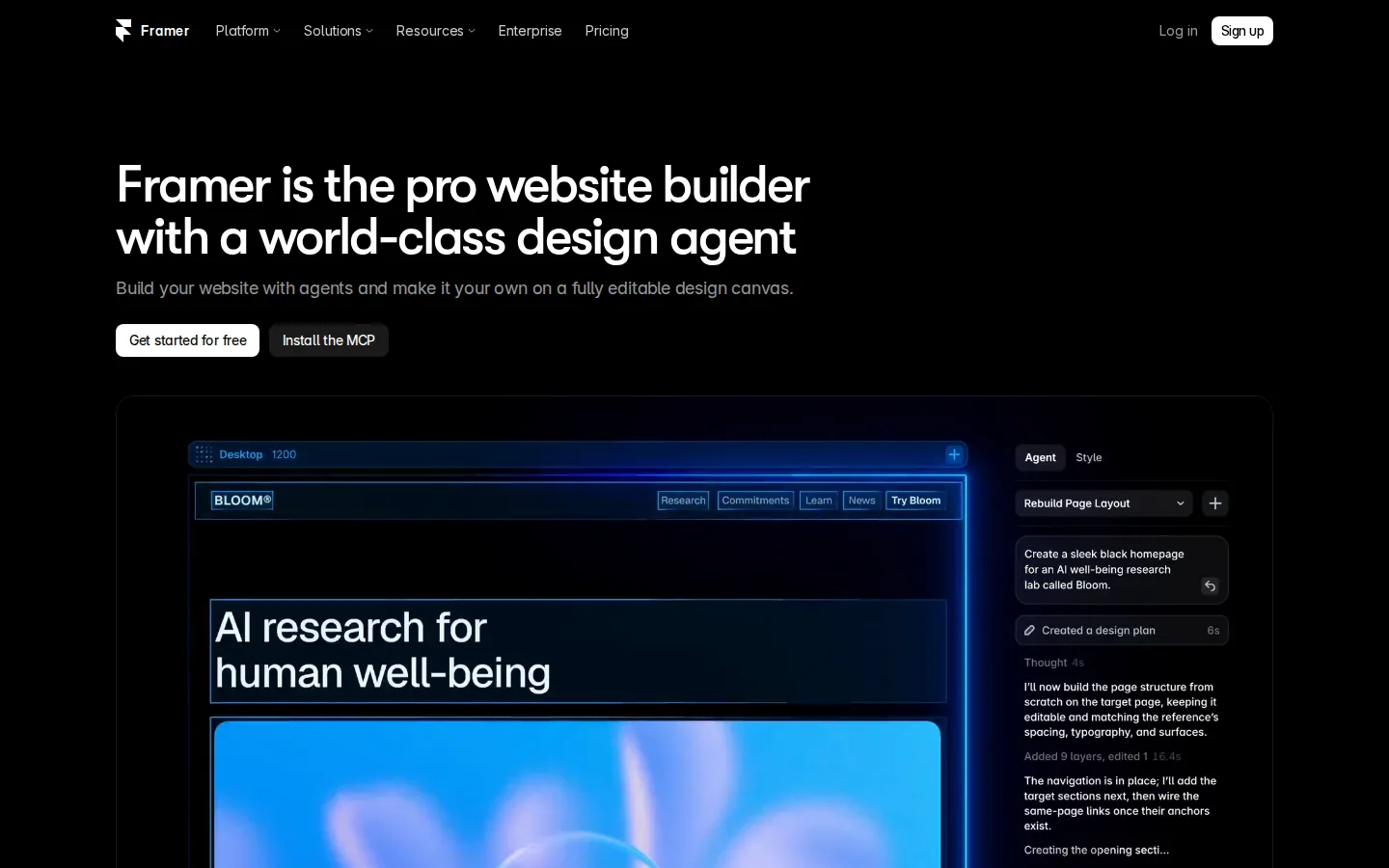
Framer cannot fully replace traditional UI design software for mobile app projects. While it provides an infinite visual canvas with responsive breakpoints and multiplayer editing, it functions primarily as a production website builder rather than a general-purpose product design tool. Teams looking for detailed comparisons across modern creators can consult our software review hub.
Source: framer.com
In a framer review, evaluating the framer vs figma workflow reveals distinct boundaries. Framer uses pixel-level layout positioning and auto-layout style stacking on an infinite canvas, matching the feel of modern interface editors. However, it binds projects directly to its hosted runtime and does not export production code or React components to external repositories.
The learning curve remains minimal for experienced vector designers. Anyone familiar with Figma or Sketch can adapt to the canvas within about an hour because the core interaction patterns match closely. It also features a built-in animation engine for scroll effects and micro-interactions, alongside native publishing to an integrated global CDN.
Official Pricing Structure and Platform Lock-In
Framer prices its service per live website rather than through a single flat account. You pay separate subscriptions for each domain, with additional fees applied for extra team seats and localized languages. Following a 2026 restructuring, Framer eliminated its Scale plan and replaced parts of the previous tier model with an AI credits system.
This cost model catches some teams off guard. Trustpilot rates Framer 1.7 out of 5, with critical user feedback primarily targeting unexpected seat charges, billing friction, and difficult cancellation steps rather than design performance. In our review methodology, we track how recurring seat fees impact the total cost of ownership across web software.
The platform also binds projects directly to its proprietary infrastructure. Framer serves pages directly to an integrated global CDN, but it does not allow you to export production code or React components to an external repository. Anyone building on the platform must remain on Framer hosting permanently to keep their published pages alive.
Framer Pros and Cons
Framer works best for rapid marketing site delivery rather than full web application engineering. A candid framer review reveals that product teams gain fast prototyping and native publishing, but lose code portability.
Pros
• Visual canvas features familiar Figma-style interaction patterns, responsive breakpoints, and real-time multiplayer editing.
• Built-in animation tools create advanced scroll effects and micro-interactions without custom JavaScript.
• One-click publishing deploys directly to a global CDN with integrated SEO controls and CMS collections.
• Wireframer quickly drafts responsive page layouts and text hierarchy from basic prompts.
Cons
• Framer delivers rapid, high-fidelity marketing pages for lean teams that prioritize speed over complex backends.
• The trade-off is architectural lock-in.
• You cannot export clean production React code or host your site elsewhere, and native e-commerce remains impractical.
• The primary trade-off of this unified setup is platform lock-in.
The Verdict: Who Should Choose Framer
This this review finds the platform ideal for design-led teams launching marketing pages without dedicated engineering support. Framer's editor pairs a Figma-style canvas with auto-layout and responsive breakpoints, letting creators ship directly to an integrated CDN with native CMS and SEO tools.
The verdict
The Verdict: Who Should Choose Framer
Framer for startups works best when quick, polished launch sites and portfolios are the main priority. However, teams cannot export clean code to external repositories, and Framer lacks built-in engines for native e-commerce or complex backend web applications.
Frequently Asked Questions
Clear technical boundaries help teams decide if this platform matches their delivery pipeline. In this this review, we answer the three most common architectural and workflow questions.
Can Framer export React code for an external backend?
No. Framer locks websites and AI-generated assets into its hosted runtime, preventing users from exporting production code or React components to an external repository. Projects must stay on Framer’s integrated global CDN for publishing.
Is Framer suitable for complex native mobile applications?
No. Framer is optimized for marketing websites, portfolios, landing pages, and launch sites. It is poorly suited for native e-commerce, complex backend web applications, or mobile app store binaries.
How quickly can a vector-only designer learn Framer layout rules?
Designers familiar with Figma or Sketch can adapt to the canvas within about an hour due to shared interaction patterns. The interface uses familiar auto-layout style stacking, responsive breakpoints, and pixel-level positioning.
Produced by
ToolNest Editorial
Independent software reviews, comparisons and guides for people who want their tools to feel lighter.
Keep reading
More from the nest.
 Reviews
Our candid Asana review for small agencies breaks down pricing, daily workflows, fit, and key trade-offs without the hype. See if it fits your team.
 Reviews
Read our candid Notion review for small teams. Explore verified pricing, core trade-offs, and daily workflow fit to decide if it matches your needs.
 Reviews
Read our candid Attio review to see if this flexible, data-driven CRM fits your lean team. Explore pricing, setup complexity, and key trade-offs.
The ToolNest letter
Better tools, once a week.
One calm email with the reviews, comparisons and tools worth your attention.
Join the newsletter“Less noise. Better tools. A calmer stack.”


