GitBook Review: Modern Team Knowledge Bases Evaluated for Fast Teams
Read our candid GitBook review covering pricing, Git sync, the WYSIWYG editor, and whether it fits your team’s internal and external docs.

The short version
GitBook effectively bridges the gap between engineering workflows and company-wide knowledge sharing. Developers can use Git Sync to branch, review, and merge documentation alongside pull requests in their code repositories. Meanwhile, non-technical teammates can draft pages, suggest change requests, and review updates using a visual block editor without touching a terminal.
This hybrid setup makes the platform a strong fit if you are wondering is gitbook good for internal documentation across mixed teams. Just as an attio review weighs modern flexibility against established defaults, this gitbook review finds that technical teams get version control while general staff retain a frictionless visual workspace.
GitBook Review: Pricing, Seat Tiers, and Site Fees
This GitBook review breaks down how well the platform bridges technical documentation and visual editing for growing teams.
GitBook achieves strong technical authoring benchmarks while introducing complex dual-tier pricing. In this gitbook review, the platform scores high on developer workflows due to Git Sync and block-based change requests. However, combining a monthly site fee up to $249 with a $12 user charge lowers predictability compared to alternatives like a Slite review recommendation.
Authoring for technical and non-technical teams
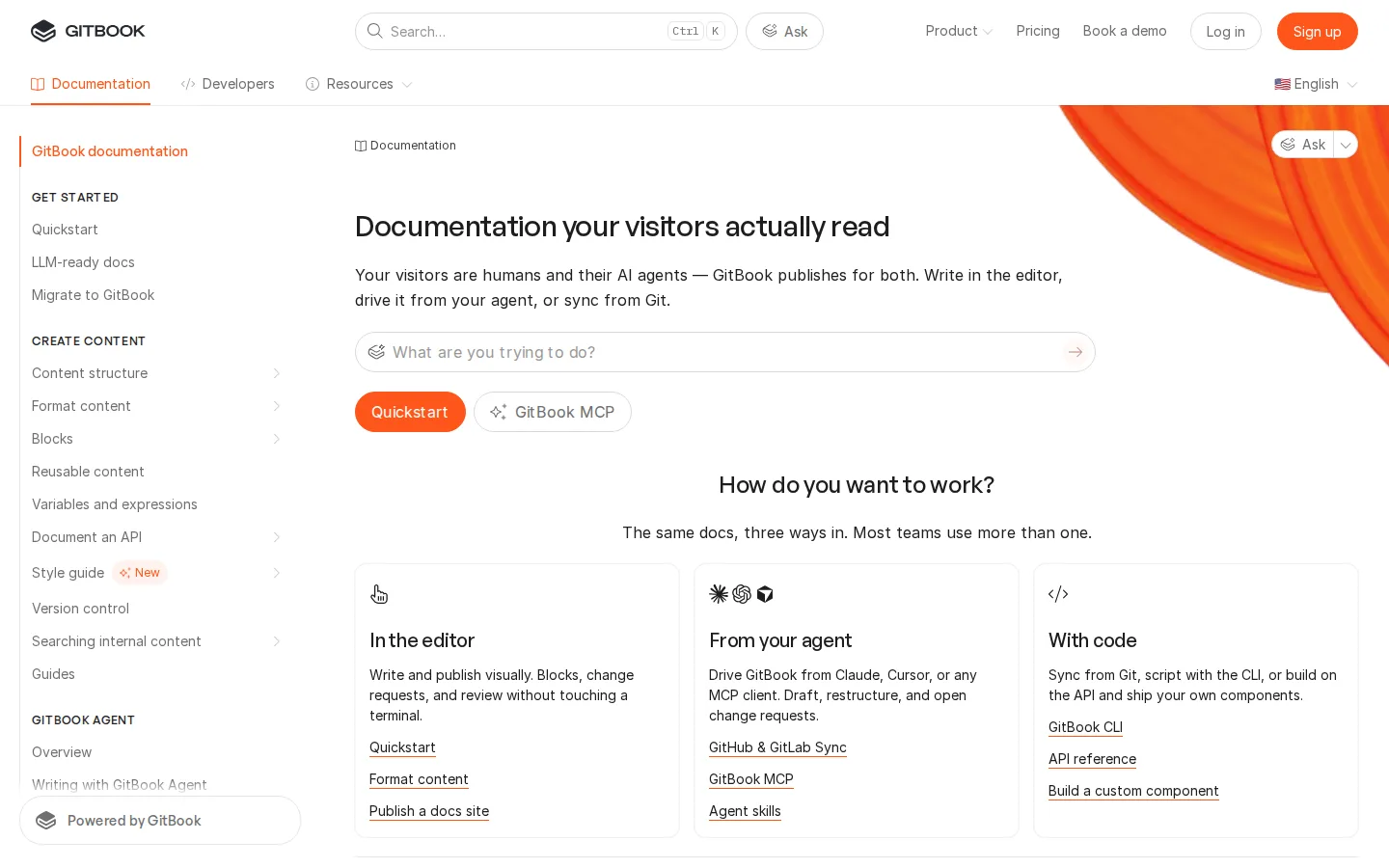
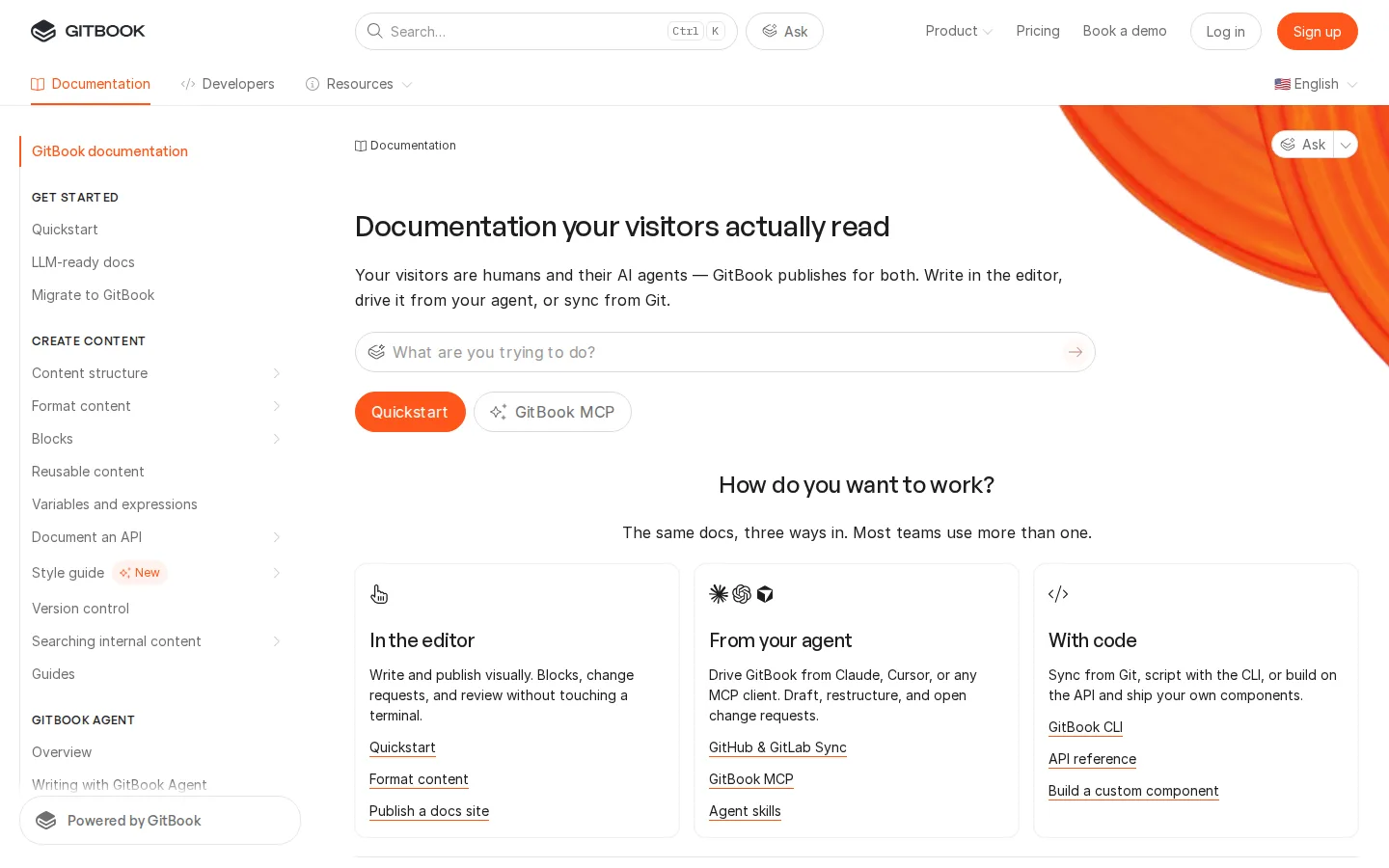
Non-technical teams can contribute directly without touching a command line. GitBook includes a visual block editor that allows writers to draft pages, open change requests, and review content visually. This setup lets marketing, support, and product team members propose edits through familiar rich-text tools.
Source: gitbook.com
The platform preserves technical rigor behind the scenes. Developers can connect repositories with Git Sync to branch, review, and merge documentation alongside codebase pull requests. While evaluating tools like our craft for teams review helps weigh clean visual workspaces, this gitbook review shows how GitBook cleanly bridges developer workflows with business contributors.
Source: gitbook.com
Two-way repository sync and branch reviews
GitBook connects directly to code repositories through its Git Sync feature to keep documentation aligned with code changes. Teams can branch, review, and merge documentation updates exactly like a standard pull request workflow. As highlighted in our software review hub, treating documentation updates as code changes keeps engineering and product teams on the same release cadence.
Non-technical contributors can participate in the review process without working inside a terminal. The visual block editor lets team members draft updates, submit change requests, and complete content reviews visually. This setup bridges the gap between developers working in code and editors authoring directly on the web platform.
In any balanced gitbook review, evaluating how gitbook github sync handles concurrent edits is essential for growing teams. Merging changes from the visual editor into active repository branches requires disciplined pull request reviews to prevent overwriting parallel prose updates. Structuring updates into clear change requests helps minimize friction before commits merge into production branches.
GitBook pricing, seat tiers, and site fees
GitBook combines base site fees with individual seat charges, meaning costs scale on two separate axes. On annual plans, base site rates run from zero to $249 per month, plus an additional $12 per collaborator monthly. A comprehensive gitbook review shows this dual structure quickly impacts budgets if multiple properties need hosting.
Free accounts support only one user and stay locked to a gitbook.io subdomain. To host docs on a custom domain, teams must buy the Premium plan at $65 per site monthly plus seat fees. The Ultimate tier jumps to $249 per site monthly for visitor authentication and 200 AI answers, while team SAML SSO remains locked behind custom Enterprise pricing.
Scroll the table →
Plan
Site Fee (Monthly)
User Fee (Monthly)
Custom Domain
Key Entitlements
Free
$0
$0 (1 user max)
No
gitbook.io subdomain, basic editor
Premium
$65
+$12 per user
Yes
Custom domain, PDF export, analytics
Ultimate
$249
+$12 per user
Yes
Visitor authentication, 200 AI answers/month
Enterprise
Custom
Custom
Yes
Team SAML SSO, dedicated support
GitBook Strengths and Trade-offs
GitBook streamlines developer documentation through direct repository synchronization, but its dual-tier fee model introduces clear administrative friction. Evaluating this platform in a realistic this review requires weighing developer-first workflow benefits against scaling costs.
Pros
• Git Sync lets engineering teams branch, review, and merge documentation directly alongside code repositories.
• Visual block editor enables non-technical teammates to review changes and publish content without using a terminal.
• Model Context Protocol support allows AI tools like Claude and Cursor to interface directly with team docs.
• This hybrid setup makes the platform a strong fit if you are wondering is gitbook good for internal documentation across mixed teams.
Cons
• Teams scaling up their technical content need to account for these search limits early.
• Skip this platform if your company wants an all-in-one general company wiki or cannot stomach dual-axis billing.
• teams comparing GitBook vs Notion may find GitBook's dual fee of $0 to $249 per site plus $12 per user monthly more complex to manage.
Pros
• This hybrid setup makes the platform a strong fit if you are wondering is gitbook good for internal documentation across mixed teams.
• GitBook includes a visual block editor that allows writers to draft pages, open change requests, and review content visually.
• This setup lets marketing, support, and product team members propose edits through familiar rich-text tools.
• The visual block editor lets team members draft updates, submit change requests, and complete content reviews visually.
Cons
• Base site fees between zero and $249 per month stack on top of a $12 per user monthly seat fee.
• Custom domain hosting requires upgrading to the Premium plan starting at $65 per site each month plus user seats.
• SAML single sign-on access for internal teams remains gated behind custom Enterprise plans.
• Skip this platform if your company wants an all-in-one general company wiki or cannot stomach dual-axis billing.
Who Should Choose GitBook
Choose GitBook if your engineering and product teams need version-controlled documentation synchronized directly with codebases. Through Git Sync, technical teams branch, review, and merge pages like code pull requests, while non-technical contributors draft changes using a visual block editor without touching a terminal.
The verdict
Who should choose GitBook
Skip this platform if your company wants an all-in-one general company wiki or cannot stomach dual-axis billing. GitBook pricing combines base site fees up to $249 per month with a $12 monthly charge for every collaborator seat, and team SAML single sign-on remains gated behind custom enterprise plans.
Is GitBook good for internal documentation?
GitBook serves well as an internal knowledge base because it supports restricted access and compliance standards like SOC 2, ISO 27001, and GDPR. The Ultimate plan provides visitor authentication for controlled viewing, while team SAML single sign-on is reserved for custom Enterprise tiers.
How does GitBook sync with GitHub?
GitBook uses a native Git Sync feature that links directly to your repository. It lets developers branch, review, and merge documentation updates alongside code commits just like a standard pull request.
Can non-technical teams use GitBook easily?
Non-technical contributors can easily write content through GitBook’s visual editor without touching code or Git commands. However, teams comparing GitBook vs Notion may find GitBook’s dual fee of $0 to $249 per site plus $12 per user monthly more complex to manage.
What are the main limitations of GitBook?
The primary limitations center on pricing structures and domain restrictions. The Free plan allows only one user on a gitbook.io subdomain, while custom domain publishing requires the Premium tier starting at $65 per site per month plus user seats.
Produced by
ToolNest Editorial
Independent software reviews, comparisons and guides for people who want their tools to feel lighter.
Keep reading
More from the nest.
 Reviews
Read our candid Activepieces review to weigh open-source self-hosting overhead against non-technical ease of use, pricing, and integrations.
 Reviews
Read our candid Attio review to see if this flexible, data-driven CRM fits your lean team. Explore pricing, setup complexity, and key trade-offs.
 Reviews
Read our candid Penpot review. Open source UI design, native CSS Grid, self-hosting limits, and pricing evaluated for engineering-led product teams.
The ToolNest letter
Better tools, once a week.
One calm email with the reviews, comparisons and tools worth your attention.
Join the newsletter“Less noise. Better tools. A calmer stack.”


