Penpot Review Open Source UI Design Evaluated
Read our candid Penpot review. Open source UI design, native CSS Grid, self-hosting limits, and pricing evaluated for engineering-led product teams.

The Short Version
Penpot provides a practical alternative to proprietary design platforms for teams that value web standards and data control. In this penpot review open source ui design platform evaluation, the tool delivers native SVG shapes alongside CSS Grid and Flexbox layouts. The cloud tier offers free access for up to eight collaborators, while self-hosting via Docker removes user caps entirely. However, groups relying heavily on extensive third-party plugins will find its current ecosystem limited compared to mature suites like Figma.
Penpot scores high on layout fidelity and data privacy, but its community ecosystem remains noticeably smaller than proprietary rivals. Native SVG rendering and CSS Grid rules allow design files to map directly into production code. Choosing this self-hosted design tool gives organizations total data ownership, though running Docker instances requires real technical maintenance.
Penpot Review: Open Source UI Design Workflow and Standards
This Penpot review: open source UI design assessment covers how the platform balances native web standards with the practical realities of self-hosting.
Source: penpot.app
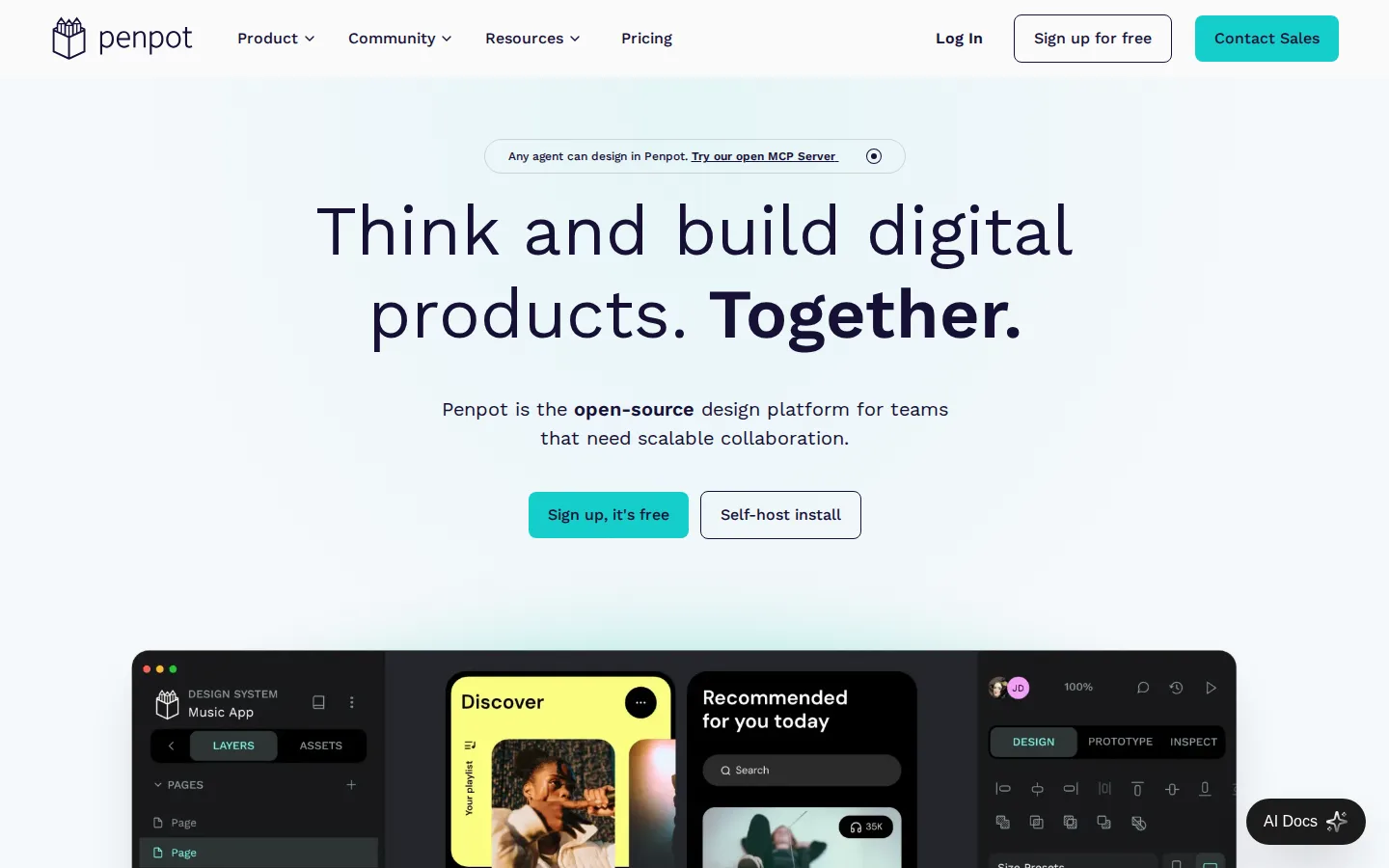
Penpot directly closes the handoff gap by structuring layouts with real web standards instead of proprietary canvas frames. In this penpot review open source ui design evaluation, shapes render as native SVG while structural containers rely strictly on CSS Grid and Flexbox rules.
Engineers inspect production-ready CSS, HTML, and SVG output straight from the canvas workspace. This layout behavior mirror real browser styling, removing the guesswork commonly found in proprietary design tools.
Self-Hosting Realities: Docker Deployment and Maintenance Overhead
Self-hosting Penpot provides complete infrastructure ownership but requires ongoing container maintenance from your engineering team. Teams can deploy the platform on their own infrastructure using Docker or Kubernetes, or run it through the browser-based cloud option. For small product squads without dedicated DevOps engineers, managing container lifecycles, storage volumes, and periodic updates adds continuous operational responsibilities.
Adopting a penpot self hosted design tool removes third-party cloud data exposure and satisfies strict data governance rules. Running on self-managed servers ensures that design files, tokens, and assets remain entirely under internal control. This trade-off requires allocating routine engineering hours to monitoring and backups instead of relying on vendor-managed infrastructure.
Engineering teams evaluating this model in our penpot review open source ui design must weigh operational friction against privacy benefits. Those needing simpler workflows or independent software comparisons can consult our software review hub before committing to internal hosting overhead. If your team cannot spare regular hours for container updates, cloud tiers offer a lower-maintenance alternative.
Community Libraries, Templates, and Project Scaling
Penpot provides a smaller ecosystem of ready-made resources than proprietary rivals. Independent reviewers give Penpot a 7.2 out of 10 for plugins and community, reflecting a catalog that is still developing. Teams switching from legacy suites will notice fewer off-the-shelf wireframe kits, integrations, and design templates.
Large file scaling demands careful component organization inside the workspace. Because Penpot renders all shapes natively in SVG and relies on real CSS Grid and Flexbox rules, massive multi-page boards can stress browser memory. Following our review methodology helps identify when splitting complex design systems into modular shared libraries keeps rendering responsive.
Penpot Pricing and Licensing Checked for 2026
Penpot provides a completely free entry path whether you deploy it locally or use managed hosting. The core platform runs under the Mozilla Public License 2.0, meaning self-hosted setups cost nothing for software licensing and carry no arbitrary seat limits. Teams choosing the managed cloud receive generous resources before paid tiers apply, as detailed in our penpot review open source ui design analysis.
Scroll the table →
Plan
Price
Team Limits
Storage & Retention
Self-Hosted Community
Free (MPL 2.0)
No user limits
Self-managed
Cloud Professional
Free
Up to 8 members
10GB storage, 7-day version history
Cloud Unlimited
$7/editor/month ($175 cap)
Unlimited editors
25GB storage, 30-day version history
Cloud Enterprise
$25/member/month
Custom seats
Unlimited storage, SSO included
Organizations with stringent compliance rules can self-host Penpot using Docker or Kubernetes to maintain full data ownership. Larger organizations needing dedicated cloud environments can deploy a Private Server tier for $50,000 annually, while self-hosted enterprise packages start at $950 monthly.
Penpot Strengths and Practical Trade-offs
Penpot gives teams complete data ownership and clean front-end alignment, but it demands technical infrastructure work and patience with a developing ecosystem. Any candid penpot review open source ui design evaluation reveals clear operational boundaries alongside genuine workflow improvements.
Pros
• Renders shapes natively in SVG and handles layouts with real CSS Grid and Flexbox rules.
• Generates clean, standards-based CSS, HTML, and SVG code directly inside the inspect workspace.
• Provides total data ownership and zero cloud exposure through Docker or Kubernetes self-hosting.
• Supplies free self-hosting without user caps, plus a free cloud plan for up to eight members.
Cons
• groups relying heavily on extensive third-party plugins will find its current ecosystem limited compared to mature suites like Figma.
• This trade-off requires allocating routine engineering hours to monitoring and backups instead of relying on vendor-managed infrastructure.
• Those needing simpler workflows or independent software comparisons can consult our software review hub before committing to internal hosting overhead.
• If your team cannot spare regular hours for container updates, cloud tiers offer a lower-maintenance alternative.
Web standards power the canvas, which directly closes the gap between design mockups and production code. Self-hosting via Docker or Kubernetes ensures sensitive enterprise data stays strictly on your own hardware. However, running your own instance requires active server maintenance, while the template and plugin catalog remains far smaller than proprietary alternatives.
Small engineering-led teams and privacy-focused groups can readily replace proprietary apps with Penpot. The browser platform builds layouts with native CSS Grid and Flexbox rules, simplifying handoff by producing clean web standards directly from the canvas.
Teams with strict data ownership needs should run a penpot self hosted design tool on Docker or Kubernetes to prevent third-party exposure. In this penpot review open source ui design workflow, technical squads gain total data governance and native SVG rendering at zero license cost.
The verdict
Who Should Choose Penpot and Who Should Look Elsewhere
Organizations reliant on massive third-party extensions should stay with established tools. Penpot has a much smaller plugin and template catalog, meaning agencies that depend on prebuilt community assets may face friction.
Frequently Asked Questions
Evaluating an open-source tool often comes down to data control, migration friction, and technical capabilities. This this review overview answers key questions about how the platform functions in daily work.
Can Penpot replace Figma for small teams?
Yes, small teams can migrate easily using the official Figma Exporter plugin to move design files over zip packages. However, Penpot maintains a noticeably smaller ecosystem for third-party plugins and prebuilt templates compared to Figma.
Does Penpot support CSS Grid and Flexbox?
Yes, Penpot handles UI layouts directly through native CSS Grid and Flexbox layout rules. It renders shapes using standards-based SVG, allowing developers to inspect and copy clean web code without proprietary conversion layers.
Is Penpot hard to self-host?
Deploying Penpot requires familiar DevOps workflows because it runs via Docker or Kubernetes. Choosing self-hosting removes third-party cloud data risks, though teams must maintain their own server infrastructure.
Is Penpot completely free?
The core application is completely free and published under the Mozilla Public License 2.0. The hosted cloud tier is free for up to eight team members, while self-hosting is free with no user limitations.
For a closer look, read attio review and Close CRM review.
Produced by
ToolNest Editorial
Independent software reviews, comparisons and guides for people who want their tools to feel lighter.
Keep reading
More from the nest.
 Reviews
Read our candid Notion review for small teams. Explore verified pricing, core trade-offs, and daily workflow fit to decide if it matches your needs.
 Reviews
Read our Loom review to evaluate pricing, video storage limits, and whether async recordings genuinely cut meeting overload for remote teams.
 Reviews
Our Craft for Teams review explores native performance, daily notes, collaboration limits, and pricing to help small design teams decide.
The ToolNest letter
Better tools, once a week.
One calm email with the reviews, comparisons and tools worth your attention.
Join the newsletter“Less noise. Better tools. A calmer stack.”


